ਇੰਟਰਫੇਰੈਂਸ ਡਾਇਗ੍ਰਾਮਾਂ ਨੂੰ ਸਮਝਣਾ

ਇੱਕ ਇੰਟਰਫੇਰੈਂਸ ਡਾਇਗ੍ਰਾਮ ਵਿੱਚ ਵਰਤਿਆ ਜਾਣ ਵਾਲਾ ਇੱਕ ਗ੍ਰਾਫਿਕਲ ਟੂਲ ਹੈ ਰੋਟਰ ਡਾਇਨਾਮਿਕਸ ਘੁੰਮਣ-ਗਤੀ (rotational-speed) ਦੀਆਂ ਉਹ ਰੇਂਜਾਂ ਪਛਾਣਨ ਲਈ ਜਿੱਥੇ ਕੋਈ ਐਕਸਾਈਟੇਸ਼ਨ ਫ੍ਰੀਕੁਐਂਸੀ “ਇੰਟਰਫੇਰ” ਕਰਦੀ ਹੈ — ਯਾਨੀ ਸਿਸਟਮ ਦੀਆਂ ਕੁਦਰਤੀ ਬਾਰੰਬਾਰਤਾਵਾਂ, ਜਿਸ ਨਾਲ ਹਾਲਾਤ ਪੈਦਾ ਹੁੰਦੇ ਹਨ ਰੈਜ਼ੋਨੈਂਸ (ਅਨੁਨਾਦ). “ਇੰਟਰਫੇਰੈਂਸ” ਸ਼ਬਦ ਇੱਕ ਫੋਰਸਿੰਗ ਫ੍ਰੀਕੁਐਂਸੀ ਦੀ ਸਮੱਸਿਆਗ੍ਰਸਤ ਮੁਲਾਕਾਤ ਨੂੰ ਦਰਸਾਉਂਦਾ ਹੈ — ਜੋ ਅਸੰਤੁਲਨ, ਬਲੇਡ ਪਾਸਿੰਗ, ਗੀਅਰ ਮੈਸ਼, ਜਾਂ ਕਿਸੇ ਹੋਰ ਸਰੋਤ ਤੋਂ ਆਉਂਦੀ ਹੈ — ਇੱਕ ਨੈਚੁਰਲ ਫ੍ਰੀਕੁਐਂਸੀ ਨਾਲ ਮਿਲਦੀ ਹੈ, ਇਹ ਮੁਲਾਕਾਤ ਵਾਈਬ੍ਰੇਸ਼ਨ ਨੂੰ ਨੁਕਸਾਨਦੇਹ ਪੱਧਰਾਂ ਤੱਕ ਲਿਜਾ ਸਕਦੀ ਹੈ। ਇਸ ਦਾ ਨਜ਼ਦੀਕੀ ਸਬੰਧ ਕੈਂਪਬੈੱਲ ਡਾਇਗ੍ਰਾਮ ਨਾਲ ਹੈ, ਪਰ ਇੰਟਰਫੇਰੈਂਸ ਡਾਇਗ੍ਰਾਮ ਓਪਰੇਟਰ ਦੇ ਸਵਾਲ ਵੱਲ ਵੱਧ ਝੁਕਾਅ ਰੱਖਦਾ ਹੈ: ਇਹ ਇੰਟਰਸੈਕਸ਼ਨ ਪੁਆਇੰਟਾਂ ਅਤੇ ਉਹਨਾਂ ਸਪੀਡ ਜ਼ੋਨਾਂ ਨੂੰ ਉਜਾਗਰ ਕਰਦਾ ਹੈ ਜਿਹਨਾਂ ਤੋਂ ਬਚਣਾ ਚਾਹੀਦਾ ਹੈ ਜਾਂ ਜਿਹਨਾਂ ਵਿੱਚੋਂ ਤੇਜ਼ੀ ਨਾਲ ਲੰਘਣਾ ਚਾਹੀਦਾ ਹੈ।
1. ਕੈਂਪਬੈੱਲ ਡਾਇਗ੍ਰਾਮਾਂ ਨਾਲ ਸਬੰਧ
ਰੋਜ਼ਾਨਾ ਵਰਤੋਂ ਵਿੱਚ “ਇੰਟਰਫੇਰੈਂਸ ਡਾਇਗ੍ਰਾਮ” ਅਤੇ “ਕੈਂਪਬੈੱਲ ਡਾਇਗ੍ਰਾਮ” ਸ਼ਬਦਾਂ ਨੂੰ ਅਕਸਰ ਇੱਕ-ਦੂਜੇ ਦੇ ਬਦਲਵੇਂ ਰੂਪ ਵਿੱਚ ਵਰਤਿਆ ਜਾਂਦਾ ਹੈ, ਕਿਉਂਕਿ ਇਹ ਲਗਭਗ ਇੱਕੋ ਜਿਹੀ ਜਾਣਕਾਰੀ ਨੂੰ ਪਲਾਟ ਕਰਦੇ ਹਨ। ਫਿਰ ਵੀ, ਜ਼ੋਰ ਦੇਣ ਦੇ ਪੱਖੋਂ ਇੱਕ ਸੂਖਮ ਫ਼ਰਕ ਹੈ।
ਕੈਂਪਬੈਲ ਡਾਇਗ੍ਰਾਮ ਜ਼ੋਰ
- ਇਹ ਦਿਖਾਉਂਦਾ ਹੈ ਕਿ ਨੈਚੁਰਲ ਫ੍ਰੀਕੁਐਂਸੀਆਂ ਸਪੀਡ ਦੇ ਨਾਲ ਕਿਵੇਂ ਬਦਲਦੀਆਂ ਹਨ, ਇਸ ਦੀ ਸੰਪੂਰਨ ਤਸਵੀਰ।
- ਨੈਚੁਰਲ-ਫ੍ਰੀਕੁਐਂਸੀ ਕਰਵਾਂ ਨੂੰ ਸਪੀਡ ਦੇ ਲਗਾਤਾਰ ਫੰਕਸ਼ਨਾਂ ਵਜੋਂ ਦਿਖਾਉਂਦਾ ਹੈ।
- ਮੁੱਖ ਤੌਰ 'ਤੇ ਵਿਆਪਕ ਰੋਟਰ ਡਾਇਨਾਮਿਕ ਵਿਸ਼ਲੇਸ਼ਣ ਅਤੇ ਡਿਜ਼ਾਈਨ ਲਈ ਵਰਤਿਆ ਜਾਂਦਾ ਹੈ।
ਇੰਟਰਫੇਰੈਂਸ ਡਾਇਗ੍ਰਾਮ ਜ਼ੋਰ
- ਖਾਸ ਸਮੱਸਿਆ ਵਾਲੇ ਖੇਤਰਾਂ — ਇੰਟਰਸੈਕਸ਼ਨ ਪੁਆਇੰਟਾਂ — ਉੱਤੇ ਧਿਆਨ ਕੇਂਦਰਿਤ ਕਰਦਾ ਹੈ।
- ਅਕਸਰ ਹਰੇਕ ਕ੍ਰਿਟੀਕਲ ਸਪੀਡ ਦੁਆਲੇ ਸ਼ੇਡ ਕੀਤੇ “ਵਰਜਿਤ ਜ਼ੋਨ” ਜੋੜਦਾ ਹੈ।
- ਵਧੇਰੇ ਸੰਚਾਲਨ-ਕੇਂਦ੍ਰਿਤ ਹੈ, ਜੋ ਬਚਣ ਵਾਲੀਆਂ ਸਪੀਡ ਰੇਂਜਾਂ 'ਤੇ ਜ਼ੋਰ ਦਿੰਦਾ ਹੈ।
- ਸਿਰਫ਼ ਅਨਬੈਲੰਸ ਤੋਂ ਇਲਾਵਾ ਕਈ ਹੋਰ ਐਕਸਾਈਟੇਸ਼ਨ ਸਰੋਤਾਂ ਨੂੰ ਵੀ ਓਵਰਲੇਅ ਕਰ ਸਕਦਾ ਹੈ।
ਸੰਖੇਪ ਵਿੱਚ, ਇੱਕ ਕੈਂਪਬੈੱਲ ਡਾਇਗ੍ਰਾਮ ਮਸ਼ੀਨ ਦੀ ਡਾਇਨਾਮਿਕਸ ਨੂੰ ਬਿਆਨ ਕਰਦਾ ਹੈ; ਇੱਕ ਇੰਟਰਫੇਰੈਂਸ ਡਾਇਗ੍ਰਾਮ ਉਸ ਬਿਆਨ ਨੂੰ ਸੰਚਾਲਨ ਨਿਯਮਾਂ ਵਿੱਚ ਬਦਲ ਦਿੰਦਾ ਹੈ।
2. ਇੰਟਰਫੇਰੈਂਸ ਡਾਇਗ੍ਰਾਮ ਦਾ ਨਿਰਮਾਣ
ਇਹ ਕੈਂਪਬੈੱਲ ਡਾਇਗ੍ਰਾਮ ਵਾਂਗ ਹੀ ਬਣਾਇਆ ਜਾਂਦਾ ਹੈ, ਫਿਰ ਸੰਚਾਲਨ ਸੰਦਰਭ ਨਾਲ ਭਰਪੂਰ ਕੀਤਾ ਜਾਂਦਾ ਹੈ।
ਮੂਲ ਤੱਤ
- ਹਰੀਜ਼ੌਂਟਲ ਧੁਰਾ: ਘੁੰਮਣ-ਗਤੀ (RPM ਜਾਂ Hz)।
- ਵਰਟੀਕਲ ਧੁਰਾ: ਐਕਸਾਈਟੇਸ਼ਨ ਜਾਂ ਨੈਚੁਰਲ ਫ੍ਰੀਕੁਐਂਸੀ (Hz ਜਾਂ CPM)।
- ਨੈਚੁਰਲ-ਫ੍ਰੀਕੁਐਂਸੀ ਲਾਈਨਾਂ: ਦਿਖਾਉਂਦੀਆਂ ਹਨ ਕਿ ਸਿਸਟਮ ਦੀਆਂ ਨੈਚੁਰਲ ਫ੍ਰੀਕੁਐਂਸੀਆਂ ਸਪੀਡ ਦੇ ਨਾਲ ਕਿਵੇਂ ਬਦਲਦੀਆਂ ਹਨ।
- ਐਕਸਾਈਟੇਸ਼ਨ-ਆਰਡਰ ਲਾਈਨਾਂ: 1X, 2X, 3X, ਅਤੇ ਹੋਰ ਐਕਸਾਈਟੇਸ਼ਨ ਸਰੋਤਾਂ ਲਈ ਤਿਰਛੀਆਂ ਲਾਈਨਾਂ।
ਵਾਧੂ ਵਿਸ਼ੇਸ਼ਤਾਵਾਂ
- ਇੰਟਰਸੈਕਸ਼ਨ ਪੁਆਇੰਟ ਉਜਾਗਰ ਕੀਤੇ ਗਏ: ਕ੍ਰਿਟੀਕਲ ਸਪੀਡਾਂ ਪ੍ਰਤੀਕਾਂ ਜਾਂ ਟਿੱਪਣੀਆਂ ਨਾਲ ਸਪਸ਼ਟ ਤੌਰ 'ਤੇ ਚਿੰਨ੍ਹਿਤ।
- ਵਰਜਿਤ ਸਪੀਡ ਜ਼ੋਨ: ਹਰੇਕ ਕ੍ਰਿਟੀਕਲ ਸਪੀਡ ਦੁਆਲੇ ਸ਼ੇਡ ਕੀਤੇ ਬੈਂਡ ਜੋ ਬਚਣ ਵਾਲੀਆਂ ਰੇਂਜਾਂ ਦਿਖਾਉਂਦੇ ਹਨ।
- ਸੰਚਾਲਨ ਸਪੀਡ ਰੇਂਜ: ਸਪਸ਼ਟ ਤੌਰ 'ਤੇ ਦਰਸਾਈ ਗਈ, ਅਕਸਰ ਇੱਕ ਲੰਬਕਾਰੀ ਬੈਂਡ ਜਾਂ ਉਜਾਗਰ ਕੀਤੇ ਖੇਤਰ ਵਜੋਂ।
- ਤੇਜ਼-ਲੰਘਣ ਵਾਲੇ ਜ਼ੋਨ: ਸਟਾਰਟਅੱਪ ਅਤੇ ਸ਼ਟਡਾਊਨ ਦੌਰਾਨ ਤੇਜ਼ੀ ਨਾਲ ਲੰਘਣ ਵਾਲੀਆਂ ਸਪੀਡ ਰੇਂਜਾਂ।
- ਕਈ ਐਕਸਾਈਟੇਸ਼ਨ ਸਰੋਤ: ਲਈ ਲਾਈਨਾਂ ਬਲੇਡ ਪਾਸਿੰਗ ਫ੍ਰੀਕੁਐਂਸੀ, ਗੀਅਰ ਮੇਸ਼ ਫ੍ਰੀਕੁਐਂਸੀ, ਅਤੇ ਬੇਅਰਿੰਗ ਡਿਫੈਕਟ ਫ੍ਰੀਕੁਐਂਸੀਆਂ.
3. ਇੰਟਰਫੇਰੈਂਸ ਦੀਆਂ ਕਿਸਮਾਂ
ਇੱਕ ਡਾਇਗ੍ਰਾਮ ਕਈ ਵੱਖ-ਵੱਖ ਕਿਸਮਾਂ ਦੇ ਸਮੱਸਿਆਗ੍ਰਸਤ ਪਰਸਪਰ ਪ੍ਰਭਾਵ ਨੂੰ ਪ੍ਰਗਟ ਕਰ ਸਕਦਾ ਹੈ, ਹਰੇਕ ਦਾ ਆਪਣਾ ਡਾਇਗਨੌਸਟਿਕ ਲੱਛਣ ਹੁੰਦਾ ਹੈ।
ਸਿੰਕ੍ਰੋਨਸ ਇੰਟਰਫੇਰੈਂਸ (1X)
ਸਭ ਤੋਂ ਆਮ ਕਿਸਮ, ਜਿੱਥੇ ਪ੍ਰਤੀ-ਘੁੰਮਾਅ (once-per-revolution) ਅਨਬੈਲੰਸ ਬਲ ਇੱਕ ਨੈਚੁਰਲ ਫ੍ਰੀਕੁਐਂਸੀ ਨਾਲ ਮਿਲ ਜਾਂਦਾ ਹੈ। ਇਹ ਕਲਾਸਿਕ ਕ੍ਰਿਟੀਕਲ ਸਪੀਡ ਹਾਲਤ ਹੈ ਅਤੇ ਇਹ ਉਹ ਹੈ ਜਿਸ ਨਾਲ ਹਰ ਰੋਟਰ ਨੂੰ ਨਜਿੱਠਣਾ ਪੈਂਦਾ ਹੈ।
ਹਾਰਮੋਨਿਕ ਇੰਟਰਫੇਰੈਂਸ (2X, 3X, …)
ਵੱਧ ਹਾਰਮੋਨਿਕਸ ਚੱਲਣ ਦੀ ਸਪੀਡ ਦਾ, ਵੀ ਰੈਜ਼ੋਨੈਂਸ ਨੂੰ ਐਕਸਾਈਟ ਕਰ ਸਕਦਾ ਹੈ। ਆਮ ਸਰੋਤਾਂ ਵਿੱਚ ਸ਼ਾਮਲ ਹਨ:
- 2X: ਤੋਂ ਮਿਸਅਲਾਈਨਮੈਂਟ, ਮਕੈਨੀਕਲ ਢਿੱਲ, ਜਾਂ ਅਸਮਿਤ ਸ਼ਾਫ਼ਟ ਕਠੋਰਤਾ।
- 3X, 4X: ਗੀਅਰ-ਦੰਦ ਦੇ ਸੰਪਰਕਾਂ, ਮਲਟੀ-ਲੋਬ ਬੇਅਰਿੰਗਾਂ, ਜਾਂ ਸੰਰਚਨਾਤਮਕ ਅਸਮਿਤੀਆਂ ਤੋਂ।
ਬਲੇਡ / ਵੇਨ ਪਾਸਿੰਗ ਇੰਟਰਫੇਰੈਂਸ
ਟਰਬੋਮਸ਼ੀਨਰੀ ਵਿੱਚ ਬਲੇਡ ਪਾਸਿੰਗ ਫ੍ਰੀਕੁਐਂਸੀ — ਬਲੇਡਾਂ ਦੀ ਸੰਖਿਆ × RPM — ਸੰਰਚਨਾਤਮਕ ਮੋਡਾਂ ਨੂੰ ਐਕਸਾਈਟ ਕਰ ਸਕਦੀ ਹੈ। ਡਾਇਗ੍ਰਾਮ ਦਿਖਾਉਂਦਾ ਹੈ ਕਿ ਬਲੇਡ-ਪਾਸਿੰਗ ਲਾਈਨ ਕਿੱਥੇ ਇੱਕ ਨੈਚੁਰਲ ਫ੍ਰੀਕੁਐਂਸੀ ਨੂੰ ਪਾਰ ਕਰਦੀ ਹੈ।
ਸਬ-ਸਿੰਕ੍ਰੋਨਸ ਇੰਟਰਫੇਰੈਂਸ
ਇਸ ਤਰ੍ਹਾਂ ਦੇ ਵਰਤਾਰੇ ਜਿਵੇਂ ਤੇਲ ਭੌਂਰੀ (oil whirl), ਆਮ ਤੌਰ 'ਤੇ 0.43X-0.48X 'ਤੇ, ਪੈਦਾ ਕਰਦੇ ਹਨ ਸਬ-ਸਿੰਕ੍ਰੋਨਸ ਦਖਲਅੰਦਾਜ਼ੀਆਂ ਜਿਨ੍ਹਾਂ ਦੀ ਪਛਾਣ ਕਰਨਾ ਅਤੇ ਪ੍ਰਬੰਧਨ ਕਰਨਾ ਲਾਜ਼ਮੀ ਹੈ ਕਿਉਂਕਿ ਇਹ ਇੱਕ ਸਥਿਰਤਾ (ਸਟੈਬਿਲਟੀ) ਸਮੱਸਿਆ ਦਾ ਸੰਕੇਤ ਦਿੰਦੀਆਂ ਹਨ।
ਬੀਟ ਫ੍ਰੀਕੁਐਂਸੀ ਦਖਲਅੰਦਾਜ਼ੀ
ਜੋੜੀਆਂ (ਕਪਲਡ) ਸਿਸਟਮਾਂ ਵਿੱਚ, ਜਾਂ ਕਈ ਘੁੰਮਣ ਵਾਲੇ ਭਾਗਾਂ ਵਾਲੇ ਸਿਸਟਮਾਂ ਵਿੱਚ, ਬੀਟ ਫ੍ਰੀਕੁਐਂਸੀਆਂ ਥੋੜ੍ਹੇ ਜਿਹੇ ਸਪੀਡ ਫਰਕਾਂ ਤੋਂ ਪੈਦਾ ਹੋਣ ਵਾਲੀਆਂ ਬੀਟਾਂ ਆਪਣੀਆਂ ਖੁਦ ਦੀਆਂ ਦਖਲਅੰਦਾਜ਼ੀਆਂ ਪੈਦਾ ਕਰ ਸਕਦੀਆਂ ਹਨ। ਇਹ ਇੱਕ ਸਥਿਰ ਪੀਕ ਦੀ ਬਜਾਏ ਐਂਪਲੀਟਿਊਡ ਦੇ ਹੌਲੀ ਵਾਧੇ ਅਤੇ ਗਿਰਾਵਟ ਵਜੋਂ ਦਿਖਾਈ ਦਿੰਦੀਆਂ ਹਨ, ਇਸ ਲਈ ਇਹ ਇੱਕ ਸਿੰਗਲ ਸਟੈਡੀ-ਸਟੇਟ ਸਪੈਕਟ੍ਰਮ ਵਿੱਚ ਖੁੰਝ ਸਕਦੀਆਂ ਹਨ ਅਤੇ ਇਨ੍ਹਾਂ ਨੂੰ ਟਾਈਮ-ਡੋਮੇਨ ਰਿਕਾਰਡ ਦੇ ਨਾਲ ਡਾਇਗ੍ਰਾਮ ਪੜ੍ਹਦੇ ਸਮੇਂ ਸਭ ਤੋਂ ਵਧੀਆ ਢੰਗ ਨਾਲ ਫੜਿਆ ਜਾ ਸਕਦਾ ਹੈ।
4. ਮਸ਼ੀਨ ਡਿਜ਼ਾਈਨ ਵਿੱਚ ਵਿਹਾਰਕ ਵਰਤੋਂ
ਡਿਜ਼ਾਈਨ-ਪੜਾਅ ਦੀਆਂ ਐਪਲੀਕੇਸ਼ਨਾਂ
- ਕ੍ਰਿਟੀਕਲ-ਸਪੀਡ ਤੋਂ ਬਚਾਅ: ਯਕੀਨੀ ਬਣਾਓ ਕਿ ਓਪਰੇਟਿੰਗ ਸਪੀਡ ਰੇਂਜ ਕਿਸੇ ਦਖਲਅੰਦਾਜ਼ੀ ਜ਼ੋਨ ਨਾਲ ਓਵਰਲੈਪ ਨਾ ਹੋਵੇ।
- ਸੈਪਰੇਸ਼ਨ-ਮਾਰਜਿਨ ਤਸਦੀਕ: ਸਾਰੀਆਂ ਕ੍ਰਿਟੀਕਲ ਸਪੀਡਾਂ ਦੇ ਆਲੇ-ਦੁਆਲੇ ਲੋੜੀਂਦੇ ਮਾਰਜਿਨ — ਆਮ ਤੌਰ 'ਤੇ ±15% ਤੋਂ ±30% — ਦੀ ਪੁਸ਼ਟੀ ਕਰੋ।
- ਐਕਸਾਈਟੇਸ਼ਨ-ਸਰੋਤ ਪ੍ਰਬੰਧਨ: ਜਿੱਥੇ ਕਿਸੇ ਦਖਲਅੰਦਾਜ਼ੀ ਤੋਂ ਬਚਿਆ ਨਹੀਂ ਜਾ ਸਕਦਾ, ਉੱਥੇ ਬੈਲੰਸ ਕੁਆਲਿਟੀ ਸੁਧਾਰ ਕੇ, ਮਿਸਅਲਾਈਨਮੈਂਟ ਠੀਕ ਕਰਕੇ, ਅਤੇ ਇਸੇ ਤਰ੍ਹਾਂ ਹੋਰ ਉਪਾਵਾਂ ਰਾਹੀਂ ਸਰੋਤ ਦੀ ਤਾਕਤ ਘਟਾਓ।
- ਡੈਂਪਿੰਗ ਲੋੜਾਂ: ਪਛਾਣ ਕਰੋ ਕਿ ਕਿੱਥੇ ਵਾਧੂ ਡੈਂਪਿੰਗ ਰੈਜ਼ੋਨੈਂਟ ਰਿਸਪਾਂਸ ਨੂੰ ਕੰਟਰੋਲ ਕਰਨ ਲਈ ਲੋੜੀਂਦਾ ਹੈ।
ਸੋਧ ਅਤੇ ਸਮੱਸਿਆ ਨਿਪਟਾਰਾ
ਜਦੋਂ ਕੋਈ ਮੌਜੂਦਾ ਮਸ਼ੀਨ ਬਹੁਤ ਜ਼ਿਆਦਾ ਵਾਈਬ੍ਰੇਟ ਕਰਦੀ ਹੈ, ਤਾਂ ਦਖਲਅੰਦਾਜ਼ੀ ਡਾਇਗ੍ਰਾਮ ਵਿਸ਼ਲੇਸ਼ਕ ਦੀ ਇਹ ਕਰਨ ਵਿੱਚ ਮਦਦ ਕਰਦਾ ਹੈ:
- ਇਹ ਸਥਾਪਿਤ ਕਰਨਾ ਕਿ ਕੀ ਸਮੱਸਿਆ ਸਿਰਫ਼ ਕਿਸੇ ਕ੍ਰਿਟੀਕਲ ਸਪੀਡ ਦੇ ਬਹੁਤ ਨੇੜੇ ਓਪਰੇਟ ਕਰਨ ਦੀ ਹੈ;
- ਪ੍ਰਸਤਾਵਿਤ ਹੱਲਾਂ ਦਾ ਮੁਲਾਂਕਣ ਕਰਨਾ — ਬੇਅਰਿੰਗ ਬਦਲਾਅ, ਵਾਧੂ ਮਾਸ, ਸਟਿਫਨੈੱਸ ਸੋਧ;
- ਸਪੀਡ ਬਦਲਾਅ ਜਾਂ ਵੇਰੀਏਬਲ-ਸਪੀਡ ਓਪਰੇਸ਼ਨ ਦੇ ਅਸਰ ਦੀ ਭਵਿੱਖਬਾਣੀ ਕਰਨਾ;
- ਇਹ ਨਿਰਧਾਰਿਤ ਕਰਨਾ ਕਿ ਕੀ ਕੋਈ ਅਣਕਿਆਸਿਆ ਐਕਸਾਈਟੇਸ਼ਨ ਸਰੋਤ ਇਸ ਲਈ ਜ਼ਿੰਮੇਵਾਰ ਹੈ।
5. ਵਰਜਿਤ ਸਪੀਡ ਜ਼ੋਨ ਸਥਾਪਿਤ ਕਰਨਾ
ਵਰਜਿਤ ਜਾਂ ਸੀਮਿਤ ਸਪੀਡ ਜ਼ੋਨਾਂ ਨੂੰ ਪਰਿਭਾਸ਼ਿਤ ਕਰਨਾ ਉਹ ਵਿਸ਼ੇਸ਼ਤਾ ਹੈ ਜੋ ਇੱਕ ਦਖਲਅੰਦਾਜ਼ੀ ਡਾਇਗ੍ਰਾਮ ਨੂੰ ਇੱਕ ਸਾਧਾਰਨ ਕੈਂਪਬੈਲ ਡਾਇਗ੍ਰਾਮ ਤੋਂ ਸਭ ਤੋਂ ਵੱਧ ਵੱਖ ਕਰਦੀ ਹੈ।
ਜ਼ੋਨ-ਚੌੜਾਈ ਨਿਰਧਾਰਨ
ਹਰੇਕ ਵਰਜਿਤ ਬੈਂਡ ਦੀ ਲੋੜੀਂਦੀ ਚੌੜਾਈ ਕਈ ਕਾਰਕਾਂ 'ਤੇ ਨਿਰਭਰ ਕਰਦੀ ਹੈ:
- ਸਿਸਟਮ ਡੈਂਪਿੰਗ: ਘੱਟ ਡੈਂਪਿੰਗ ਲਈ ਚੌੜੇ ਜ਼ੋਨ ਲੋੜੀਂਦੇ ਹਨ; ਵੱਧ ਡੈਂਪਿੰਗ ਤੰਗ ਜ਼ੋਨਾਂ ਦੀ ਇਜਾਜ਼ਤ ਦਿੰਦੀ ਹੈ।
- ਐਕਸਾਈਟੇਸ਼ਨ ਐਂਪਲੀਟਿਊਡ: ਵਧੇਰੇ ਮਜ਼ਬੂਤ ਸਰੋਤਾਂ ਲਈ ਚੌੜੇ ਬਚਾਅ ਬੈਂਡ ਦੀ ਲੋੜ ਹੁੰਦੀ ਹੈ।
- ਓਪਰੇਸ਼ਨਲ ਨਤੀਜੇ: ਕ੍ਰਿਟੀਕਲ ਉਪਕਰਣਾਂ ਲਈ ਵਧੇਰੇ ਸਾਵਧਾਨ, ਚੌੜੇ ਜ਼ੋਨ ਜ਼ਰੂਰੀ ਹੁੰਦੇ ਹਨ।
- ਆਮ ਮੁੱਲ: ਵਧੀਆ-ਡੈਂਪਡ ਸਿਸਟਮਾਂ ਲਈ ±15%, ਮਾੜੀ ਡੈਂਪਡ ਸਿਸਟਮਾਂ ਲਈ ±20-30%।
ਸੰਚਾਲਨ ਪ੍ਰਕਿਰਿਆਵਾਂ
ਡਾਇਗ੍ਰਾਮ ਤੋਂ, ਓਪਰੇਟਿੰਗ ਨਿਯਮ ਤਿਆਰ ਕੀਤੇ ਜਾਂਦੇ ਹਨ:
- ਲਗਾਤਾਰ ਓਪਰੇਸ਼ਨ ਦੀ ਇਜਾਜ਼ਤ: ਬਿਨਾਂ ਕਿਸੇ ਦਖਲਅੰਦਾਜ਼ੀ ਵਾਲੀਆਂ ਸਪੀਡ ਰੇਂਜਾਂ।
- ਤੇਜ਼ ਟ੍ਰੈਵਰਸ ਲੋੜੀਂਦਾ: ਵਰਜਿਤ ਜ਼ੋਨ ਜਿਨ੍ਹਾਂ ਵਿੱਚੋਂ ਸਟਾਰਟਅੱਪ ਅਤੇ ਸ਼ਟਡਾਊਨ ਦੌਰਾਨ ਤੇਜ਼ੀ ਨਾਲ ਲੰਘਣਾ ਲਾਜ਼ਮੀ ਹੈ।
- ਪੂਰੀ ਤਰ੍ਹਾਂ ਵਰਜਿਤ: ਗੰਭੀਰ ਰੈਜ਼ੋਨੈਂਸ ਜ਼ੋਨ ਜਿੱਥੇ ਓਪਰੇਸ਼ਨ ਦੀ ਕਦੇ ਵੀ ਇਜਾਜ਼ਤ ਨਹੀਂ ਹੈ।
6. ਵਿਸਤ੍ਰਿਤ ਉਦਾਹਰਨ: ਇੱਕ ਸਟੀਮ ਟਰਬਾਈਨ
ਹੇਠ ਲਿਖੀਆਂ ਵਿਸ਼ੇਸ਼ਤਾਵਾਂ ਵਾਲੇ ਇੱਕ ਸਟੀਮ ਟਰਬਾਈਨ ਨੂੰ ਲਓ:
- ਓਪਰੇਟਿੰਗ ਸਪੀਡ: 3000 RPM (50 Hz)।
- ਪਹਿਲੀ ਕ੍ਰਿਟੀਕਲ ਸਪੀਡ: 2400 RPM (40 Hz)।
- ਦੂਜੀ ਕ੍ਰਿਟੀਕਲ ਸਪੀਡ: 4200 RPM (70 Hz)।
- ਬਲੇਡਾਂ ਦੀ ਗਿਣਤੀ: 60.
- 3000 RPM 'ਤੇ ਬਲੇਡ ਪਾਸਿੰਗ ਫ੍ਰੀਕੁਐਂਸੀ: 60 × 50 Hz = 3000 Hz।
ਡਾਇਗ੍ਰਾਮ ਕੀ ਦਿਖਾਉਂਦਾ ਹੈ
- 1X ਲਾਈਨ ਪਹਿਲੀ ਨੈਚੁਰਲ ਫ੍ਰੀਕੁਐਂਸੀ ਨੂੰ ਕ੍ਰਾਸ ਕਰਦੀ ਹੈ: 2400 RPM 'ਤੇ ਕ੍ਰਿਟੀਕਲ ਸਪੀਡ — ਵਰਜਿਤ ਜ਼ੋਨ 2040-2760 RPM (±15%)।
- 1X ਲਾਈਨ ਦੂਸਰੀ ਕੁਦਰਤੀ ਬਾਰੰਬਾਰਤਾ ਨੂੰ ਪਾਰ ਕਰਦੀ ਹੈ: 4200 RPM 'ਤੇ ਕ੍ਰਿਟੀਕਲ ਸਪੀਡ — ਚਿੰਤਾ ਦੀ ਗੱਲ ਨਹੀਂ, ਕਿਉਂਕਿ ਸੰਚਾਲਨ ਸਪੀਡ ਇਸ ਤੋਂ ਕਾਫ਼ੀ ਹੇਠਾਂ ਹੈ।
- ਸੰਚਾਲਨ ਸਪੀਡ (3000 RPM): ਚੰਗੇ ਸੈਪਰੇਸ਼ਨ ਮਾਰਜਿਨ ਦੇ ਨਾਲ ਦੋਵਾਂ ਕ੍ਰਿਟੀਕਲ ਸਪੀਡਾਂ ਦੇ ਵਿਚਕਾਰ ਸੁਰੱਖਿਅਤ ਢੰਗ ਨਾਲ ਬੈਠਦੀ ਹੈ।
- ਬਲੇਡ ਪਾਸਿੰਗ ਬਾਰੰਬਾਰਤਾ: 3000 Hz 'ਤੇ, ਸੰਚਾਲਨ ਰੇਂਜ ਵਿੱਚ ਸਟਰਕਚਰਲ ਮੋਡਾਂ ਨਾਲ ਕੋਈ ਦਖਲਅੰਦਾਜ਼ੀ ਨਹੀਂ।
ਸੰਚਾਲਨ ਸੰਬੰਧੀ ਮਾਰਗਦਰਸ਼ਨ
- ਸਟਾਰਟਅੱਪ ਦੇ ਦੌਰਾਨ, 30 ਸਕਿੰਟਾਂ ਤੋਂ ਘੱਟ ਸਮੇਂ ਵਿੱਚ 2040-2760 RPM ਰੇਂਜ ਵਿੱਚੋਂ ਤੇਜ਼ੀ ਨਾਲ ਲੰਘੋ।
- 2800-3200 RPM ਦੇ ਵਿਚਕਾਰ ਨਿਰੰਤਰ ਸੰਚਾਲਨ ਸਵੀਕਾਰਯੋਗ ਹੈ।
- 2040-2760 RPM ਦੇ ਵਿਚਕਾਰ ਲਗਾਤਾਰ ਸੰਚਾਲਨ ਕਰਨ ਦੀ ਕੋਸ਼ਿਸ਼ ਨਾ ਕਰੋ।
ਇਸ ਕਿਸਮ ਦੀ ਪਹਿਲੀ ਬੈਂਡਿੰਗ ਕ੍ਰਿਟੀਕਲ ਸਪੀਡ ਦਾ ਪਤਾ ਲਗਾਉਣ ਵਾਲੀ ਗਣਿਤ ਗਣਨਾ ਦਾ ਅੰਦਾਜ਼ਾ ਪਹਿਲਾਂ ਹੀ ਰੋਟਰ ਕ੍ਰਿਟੀਕਲ ਸਪੀਡ ਕੈਲਕੁਲੇਟਰ, ਦੇ ਨਾਲ ਲਗਾਇਆ ਜਾ ਸਕਦਾ ਹੈ, ਅਤੇ ਆਰਡਰ-ਲਾਈਨ ਕਰਾਸਿੰਗਾਂ ਦੇ ਪੂਰੇ ਸੈੱਟ ਨੂੰ ਇੱਕ ਨਾਲ ਪਲਾਟ ਕੀਤਾ ਜਾ ਸਕਦਾ ਹੈ ਕੈਂਪਬੈੱਲ ਡਾਇਗ੍ਰਾਮ ਕੈਲਕੁਲੇਟਰ ਕਿਸੇ ਵੀ ਟੈਸਟ ਰਨ ਸ਼ੁਰੂ ਹੋਣ ਤੋਂ ਪਹਿਲਾਂ।
7. ਉੱਨਤ ਵਿਚਾਰ
ਤਾਪਮਾਨ ਪ੍ਰਭਾਵ
ਕੁਝ ਇੰਟਰਫੇਰੈਂਸ ਡਾਇਗ੍ਰਾਮਾਂ ਵਿੱਚ ਕਈ ਕਰਵ ਸ਼ਾਮਲ ਹੁੰਦੇ ਹਨ ਜੋ ਦਿਖਾਉਂਦੇ ਹਨ ਕਿ ਕੁਦਰਤੀ ਬਾਰੰਬਾਰਤਾਵਾਂ ਤਾਪਮਾਨ ਦੇ ਨਾਲ ਕਿਵੇਂ ਬਦਲਦੀਆਂ ਹਨ, ਕਿਉਂਕਿ ਥਰਮਲ ਵਾਧਾ ਸਟਿਫਨੈੱਸ ਅਤੇ ਬੇਅਰਿੰਗ ਵਿਸ਼ੇਸ਼ਤਾਵਾਂ ਦੋਵਾਂ ਨੂੰ ਬਦਲਦਾ ਹੈ। ਜਿਵੇਂ ਹੀ ਮਸ਼ੀਨ ਕੋਲਡ ਸਟਾਰਟ ਤੋਂ ਸਥਿਰ ਸਥਿਤੀ ਤੱਕ ਗਰਮ ਹੁੰਦੀ ਹੈ, ਕ੍ਰਿਟੀਕਲ ਸਪੀਡਾਂ ਸ਼ਿਫਟ ਹੋ ਸਕਦੀਆਂ ਹਨ, ਇਸੇ ਲਈ ਠੰਡੀ ਮਸ਼ੀਨ 'ਤੇ ਪਰਿਭਾਸ਼ਿਤ ਵਰਜਿਤ ਜ਼ੋਨ ਨੂੰ ਕਈ ਵਾਰ ਵਾਰਮ-ਅੱਪ ਦੌਰਾਨ ਕ੍ਰਿਟੀਕਲ ਸਪੀਡ ਦੇ ਸਵੀਪ ਕੀਤੇ ਬੈਂਡ ਨੂੰ ਕਵਰ ਕਰਨ ਲਈ ਚੌੜਾ ਕੀਤਾ ਜਾਂਦਾ ਹੈ।
ਲੋਡ ਪ੍ਰਭਾਵ
ਉਹਨਾਂ ਮਸ਼ੀਨਾਂ ਲਈ ਜਿੱਥੇ ਪ੍ਰੋਸੈੱਸ ਲੋਡ ਬੇਅਰਿੰਗ ਸਟਿਫਨੈੱਸ ਜਾਂ ਰੋਟਰ ਡਿਫਲੈਕਸ਼ਨ ਨੂੰ ਜ਼ੋਰਦਾਰ ਢੰਗ ਨਾਲ ਪ੍ਰਭਾਵਿਤ ਕਰਦਾ ਹੈ, ਡਾਇਗ੍ਰਾਮ ਵਿੱਚ ਵੱਖ-ਵੱਖ ਲੋਡ ਹਾਲਤਾਂ ਲਈ ਕਰਵਾਂ ਦਾ ਇੱਕ ਪਰਿਵਾਰ ਹੋ ਸਕਦਾ ਹੈ।
ਜੋੜੇ ਹੋਏ ਸਿਸਟਮ
ਜਦੋਂ ਕਈ ਰੋਟਰ ਜੋੜੇ ਜਾਂਦੇ ਹਨ — ਮੋਟਰ-ਪੰਪ ਸੈੱਟ, ਟਰਬਾਈਨ-ਜਨਰੇਟਰ ਟਰੇਨਾਂ — ਡਾਇਗ੍ਰਾਮ ਨੂੰ ਜੋੜੇ ਹੋਏ ਟੌਰਸ਼ਨਲ (torsional) ਅਤੇ ਲੈਟਰਲ ਮੋਡਾਂ ਨੂੰ ਵੀ ਧਿਆਨ ਵਿੱਚ ਰੱਖਣਾ ਚਾਹੀਦਾ ਹੈ, ਜੋ ਵਾਧੂ ਕ੍ਰਿਟੀਕਲ ਸਪੀਡਾਂ ਪੇਸ਼ ਕਰ ਸਕਦੇ ਹਨ ਜੋ ਇਕੱਲੇ ਕੋਈ ਵੀ ਮਸ਼ੀਨ ਨਹੀਂ ਦਿਖਾਉਂਦੀ।
8. ਇੰਟਰਫੇਰੈਂਸ ਡਾਇਗ੍ਰਾਮ ਬਣਾਉਣਾ
ਵਿਸ਼ਲੇਸ਼ਣਾਤਮਕ ਮਾਡਲਾਂ ਤੋਂ
- ਰੋਟਰ-ਬੇਅਰਿੰਗ ਸਿਸਟਮ ਦਾ ਇੱਕ ਫਾਈਨਾਈਟ ਐਲੀਮੈਂਟ ਮਾਡਲ ਵਿਕਸਿਤ ਕਰੋ।
- ਕਈ ਸਪੀਡਾਂ 'ਤੇ ਕੁਦਰਤੀ ਬਾਰੰਬਾਰਤਾਵਾਂ ਦੀ ਗਣਨਾ ਕਰੋ।
- ਸਪੀਡ ਦੇ ਵਿਰੁੱਧ ਕੁਦਰਤੀ-ਬਾਰੰਬਾਰਤਾ ਕਰਵਾਂ ਨੂੰ ਪਲਾਟ ਕਰੋ।
- ਐਕਸਾਈਟੇਸ਼ਨ-ਆਰਡਰ ਲਾਈਨਾਂ (1X, 2X, ਬਲੇਡ ਪਾਸਿੰਗ, ਆਦਿ) ਨੂੰ ਓਵਰਲੇ ਕਰੋ।
- ਇੰਟਰਸੈਕਸ਼ਨ ਪੁਆਇੰਟਾਂ ਨੂੰ ਚਿੰਨ੍ਹਿਤ ਕਰੋ ਅਤੇ ਵਰਜਿਤ ਜ਼ੋਨ ਸਥਾਪਿਤ ਕਰੋ।
- ਸੰਚਾਲਨ ਸਪੀਡ ਰੇਂਜ ਅਤੇ ਪ੍ਰਕਿਰਿਆਵਾਂ ਦੇ ਨਾਲ ਵਿਆਖਿਆ ਸ਼ਾਮਲ ਕਰੋ।
ਪ੍ਰਯੋਗਾਤਮਕ ਡਾਟੇ ਤੋਂ
- ਕਰੋ ਸਟਾਰਟਅੱਪ ਅਤੇ ਕੋਸਟਡਾਊਨ ਵਾਈਬ੍ਰੇਸ਼ਨ ਮਾਨੀਟਰਿੰਗ ਨਾਲ ਟੈਸਟ ਕਰੋ।
- ਬਣਾਓ ਵਾਟਰਫਾਲ ਪਲਾਟ ਜਾਂ ਬੋਡ ਪਲਾਟ.
- ਐਂਪਲੀਟਿਊਡ ਪੀਕਾਂ ਅਤੇ ਫੇਜ਼ ਸ਼ਿਫਟਾਂ ਤੋਂ ਕ੍ਰਿਟੀਕਲ-ਸਪੀਡ ਸਥਾਨਾਂ ਦੀ ਪਛਾਣ ਕਰੋ।
- ਦੇਖੀਆਂ ਗਈਆਂ ਕ੍ਰਿਟੀਕਲ ਸਪੀਡਾਂ ਨੂੰ ਚਿੰਨ੍ਹਿਤ ਕਰਦੇ ਹੋਏ ਇੰਟਰਫੇਰੈਂਸ ਡਾਇਗ੍ਰਾਮ ਬਣਾਓ।
- ਮਾਪੇ ਗਏ ਵਾਈਬ੍ਰੇਸ਼ਨ ਪੱਧਰਾਂ ਤੋਂ ਅਨੁਭਵੀ ਵਰਜਿਤ ਜ਼ੋਨ ਸਥਾਪਿਤ ਕਰੋ।
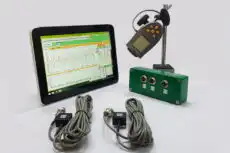
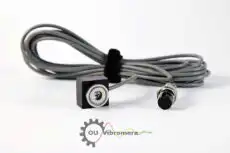
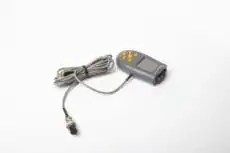
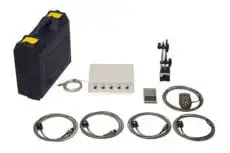
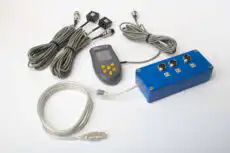
ਪ੍ਰਯੋਗਾਤਮਕ ਰੂਟ ਸਾਫ਼ ਐਂਪਲੀਟਿਊਡ-ਅਤੇ-ਫੇਜ਼ ਡਾਟਾ ਹਾਸਲ ਕਰਨ 'ਤੇ ਨਿਰਭਰ ਕਰਦਾ ਹੈ ਜਦੋਂ ਸਪੀਡ ਹਰੇਕ ਰੈਜ਼ੋਨੈਂਸ ਵਿੱਚੋਂ ਸਵੀਪ ਕਰਦੀ ਹੈ। ਇੱਕ ਪੋਰਟੇਬਲ ਦੋ-ਚੈਨਲ ਐਨਾਲਾਈਜ਼ਰ ਜਿਵੇਂ ਕਿ Balanset-1A, ਟੈਕੋਮੀਟਰ ਸੰਦਰਭ ਦੇ ਵਿਰੁੱਧ ਰਨ-ਅੱਪ ਜਾਂ ਕੋਸਟ-ਡਾਊਨ ਦੌਰਾਨ 1× ਐਂਪਲੀਟਿਊਡ ਅਤੇ ਫੇਜ਼ ਰਿਕਾਰਡ ਕਰਦੇ ਹੋਏ, ਬਿਲਕੁਲ ਉਹਨਾਂ ਪੀਕਾਂ ਅਤੇ ਫੇਜ਼ ਰਿਵਰਸਲਾਂ ਨੂੰ ਹਾਸਲ ਕਰਦਾ ਹੈ ਜੋ ਅਸਲ ਮਸ਼ੀਨ 'ਤੇ ਇੱਕ ਕ੍ਰਿਟੀਕਲ ਸਪੀਡ ਨੂੰ ਪੱਕਾ ਕਰਦੇ ਹਨ — ਇੱਕ ਥਿਊਰੈਟੀਕਲ ਡਾਇਗ੍ਰਾਮ ਨੂੰ ਮਾਪ ਦੁਆਰਾ ਪ੍ਰਮਾਣਿਤ ਇੱਕ ਵਿੱਚ ਬਦਲਦੇ ਹੋਏ।
9. ਸੰਚਾਲਨ ਅਤੇ ਰੱਖ-ਰਖਾਅ ਲਈ ਲਾਭ
ਇੱਕ ਚੰਗੀ ਤਰ੍ਹਾਂ ਬਣਾਇਆ ਇੰਟਰਫੇਰੈਂਸ ਡਾਇਗ੍ਰਾਮ ਇੱਕ ਕਾਰਜਸ਼ੀਲ ਦਸਤਾਵੇਜ਼ ਹੈ, ਸਿਰਫ਼ ਇੱਕ ਡਿਜ਼ਾਈਨ ਕਲਾਕ੍ਰਿਤੀ ਨਹੀਂ:
- ਸਪੱਸ਼ਟ ਸੰਚਾਲਨ ਸੀਮਾਵਾਂ: ਸੁਰੱਖਿਅਤ ਅਤੇ ਅਸੁਰੱਖਿਅਤ ਸਪੀਡ ਰੇਂਜਾਂ ਦਾ ਇੱਕ ਵਿਜ਼ੂਅਲ ਬਿਆਨ।
- ਸਟਾਰਟਅੱਪ / ਸ਼ਟਡਾਊਨ ਪ੍ਰਕਿਰਿਆਵਾਂ: ਇਹ ਤੇਜ਼ੀ ਨਾਲ ਪਾਰ ਕਰਨ ਵਾਲੀਆਂ ਸਪੀਡਾਂ ਦੀ ਪਛਾਣ ਕਰਦਾ ਹੈ।
- ਵੇਰੀਏਬਲ-ਸਪੀਡ ਸੰਚਾਲਨ: ਇਹ ਇੱਕ ਐਡਜਸਟੇਬਲ-ਸਪੀਡ ਡਰਾਈਵ ਲਈ ਸਵੀਕਾਰਯੋਗ ਸਪੀਡ ਵਿੰਡੋਜ਼ ਨੂੰ ਪਰਿਭਾਸ਼ਿਤ ਕਰਦਾ ਹੈ।
- ਟ੍ਰਬਲਸ਼ੂਟਿੰਗ ਟੂਲ: ਇਹ ਫੈਸਲਾ ਕਰਨ ਵਿੱਚ ਮਦਦ ਕਰਦਾ ਹੈ ਕਿ ਕੀ ਕੋਈ ਵਾਈਬ੍ਰੇਸ਼ਨ ਸਮੱਸਿਆ ਸਪੀਡ-ਸੰਬੰਧੀ ਹੈ।
- ਮੌਡੀਫਿਕੇਸ਼ਨ ਯੋਜਨਾਬੰਦੀ: ਇਹ ਲਾਗੂ ਹੋਣ ਤੋਂ ਪਹਿਲਾਂ ਇੱਕ ਪ੍ਰਸਤਾਵਿਤ ਬਦਲਾਅ ਦੇ ਪ੍ਰਭਾਵ ਨੂੰ ਦਿਖਾਉਂਦਾ ਹੈ।
- ਸਿਖਲਾਈ ਸਹਾਇਤਾ: ਇਹ ਮਸ਼ੀਨ ਦੇ ਗਤੀਸ਼ੀਲ ਵਿਵਹਾਰ ਨੂੰ ਸਿਖਾਉਣ ਦਾ ਇੱਕ ਵਧੀਆ ਤਰੀਕਾ ਹੈ।
ਕ੍ਰਿਟੀਕਲ ਰੋਟੇਟਿੰਗ ਮਸ਼ੀਨਰੀ ਲਈ, ਇੰਟਰਫੇਰੈਂਸ ਡਾਇਗ੍ਰਾਮ ਇੱਕ ਜ਼ਰੂਰੀ ਸੰਦਰਭ ਹੈ ਜੋ ਓਪਰੇਟਰਾਂ, ਮੇਨਟੇਨੈਂਸ ਟੈਕਨੀਸ਼ੀਅਨਾਂ, ਅਤੇ ਇੰਜੀਨੀਅਰਿੰਗ ਸਟਾਫ ਸਭ ਦੇ ਹੱਥਾਂ ਵਿੱਚ ਹੋਣਾ ਚਾਹੀਦਾ ਹੈ — ਤਾਂ ਜੋ ਹਰ ਕੋਈ ਮਸ਼ੀਨ ਦੇ ਗਤੀਸ਼ੀਲ ਚਰਿੱਤਰ ਨੂੰ ਸਮਝੇ ਅਤੇ ਇਸਨੂੰ ਸੁਰੱਖਿਅਤ ਸਪੀਡ ਰੇਂਜਾਂ ਦੇ ਅੰਦਰ ਚਲਾਉਂਦਾ ਰਹੇ।