Home → Glossary → Dynamic Balancing
Dynamic Balancing (Two-Plane Balancing) Explained
A practical guide to correcting rotor unbalance in two planes: when one plane is not enough, how the influence-coefficient method works, how to count the correction angle, and what tolerances to aim for. Based on the field experience of hundreds of Balanset-1A users — from mulcher drums to a 24-tonne rotor.




1. Definition: What is Dynamic Balancing?
Dynamic balancing is a procedure for correcting unbalance in a rotor by making mass corrections in a minimum of two separate planes along its length. It is used when correction in one plane is not enough, because the rotor can combine static (force) unbalance and couple unbalance.
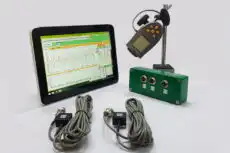
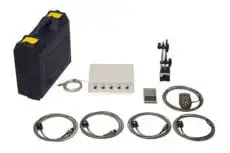
Portable two-plane instruments such as the Vibromera Balanset-1A perform this procedure in the field, measuring vibration and phase at each bearing and calculating correction masses with the influence coefficient method.
Dynamic balancing machines and equipment
Field work calls for a portable dynamic balancing machine rather than a stationary stand: the Balanset-1A is a two-channel portable dynamic balancer with FFT spectrum that corrects unbalance in two planes on site — in the rotor’s own bearings, with alignment, bearing preload and foundation effects all included. For a worked example, see driveshaft balancing in the field.
2. Static vs. Dynamic Unbalance: The Key Difference
To understand dynamic balancing, it’s important to distinguish between the two main forms of unbalance.
- Static unbalance: the rotor’s center of mass is offset from its axis of rotation. It behaves like a single “heavy spot”: a stopped rotor on free supports will roll heavy-side down by itself. It can be corrected with one weight in one plane (static balancing, also called single-plane balancing).
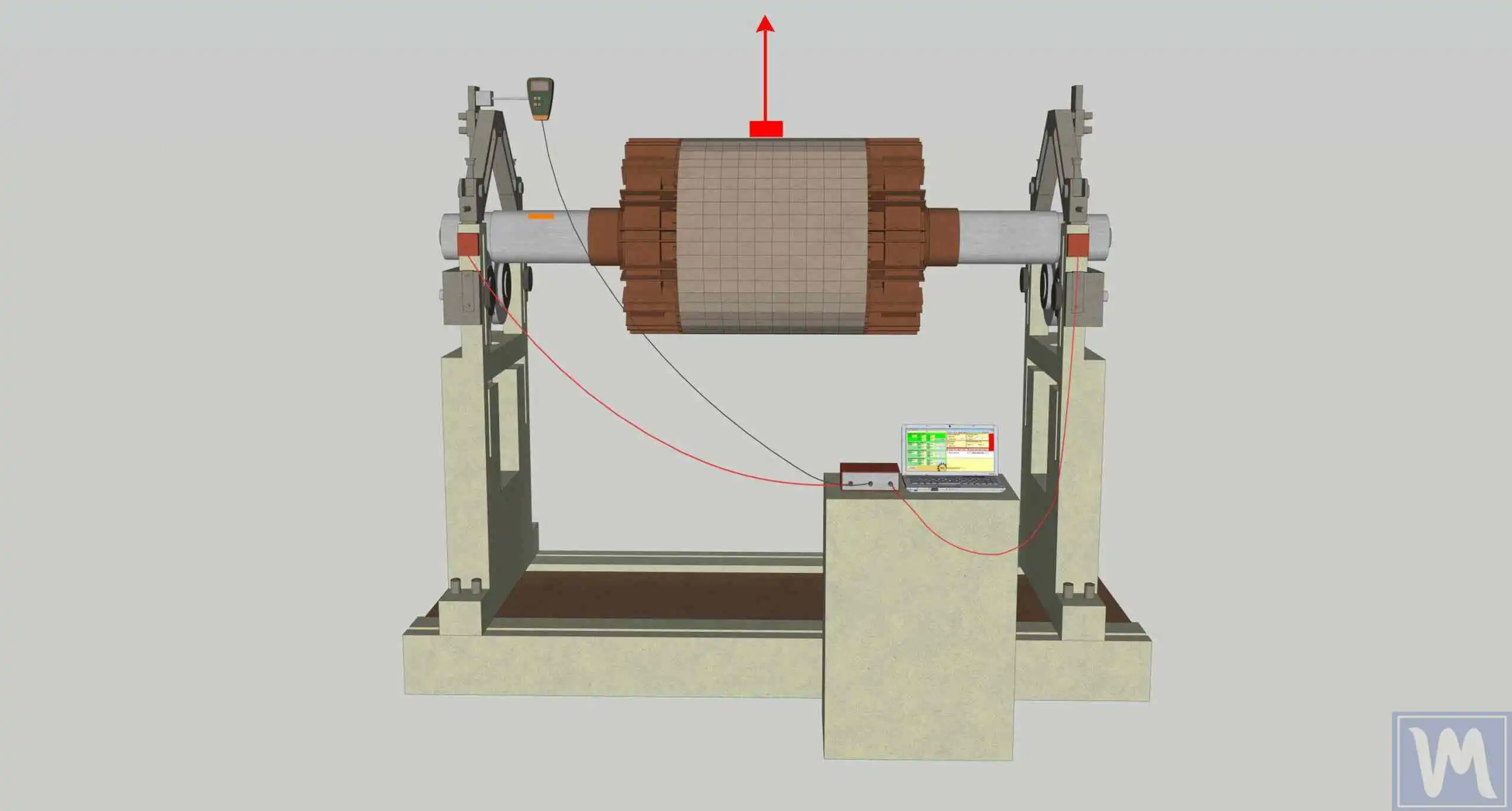
- Dynamic unbalance: heavy spots sit at different ends and on different sides of the rotor. At rest such a rotor can look perfectly balanced — with the rotor turned 90° the two heavy spots seem to counterbalance each other. But in rotation each heavy spot pulls its own way: the two masses create a turning force, or “couple”, that makes the rotor wobble end-over-end. Couple unbalance can only be detected in rotation and can only be corrected by placing weights in two different planes to create an opposing couple.
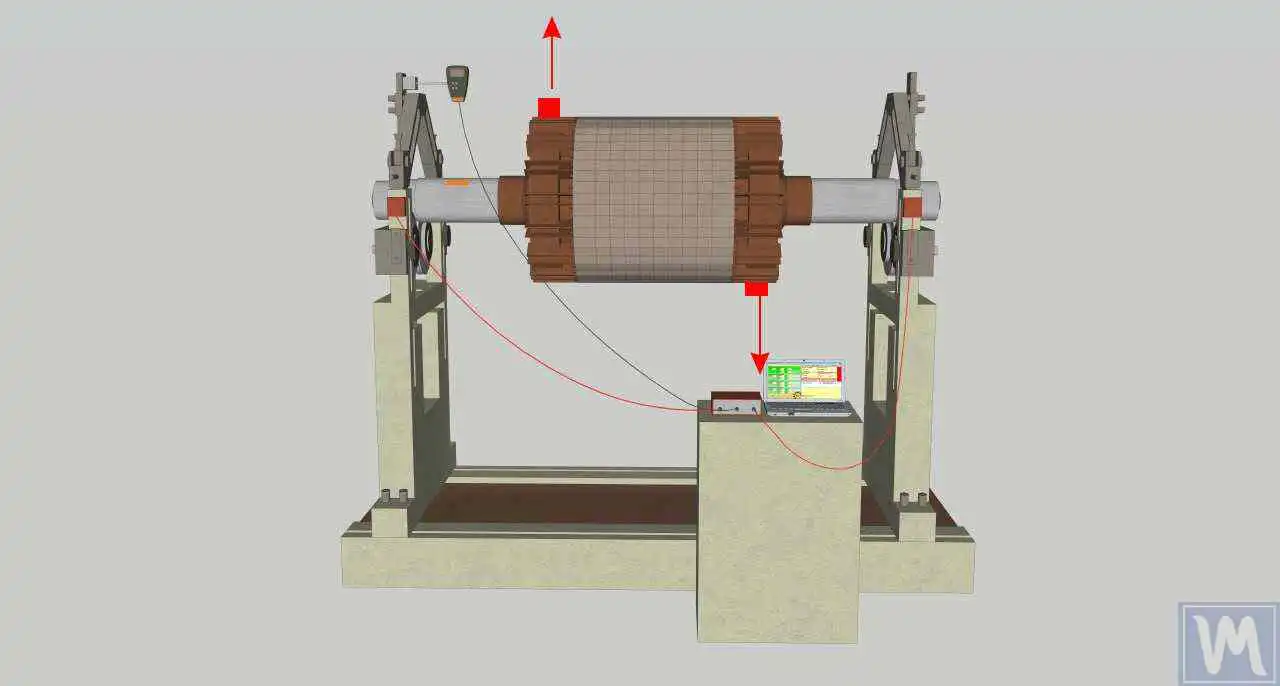
| Static unbalance | Dynamic unbalance | |
|---|---|---|
| Detectable at rest? | Yes — rotor rolls heavy-side down on free supports | No — only shows up in rotation |
| Rotor behaviour | Vibrates “in phase” at both supports | Wobbles: supports vibrate with different phase |
| Correction | 1 weight, 1 plane | Weights in 2 planes, calculated together |
| Typical rotors | Narrow discs, pulleys, narrow impellers | Mulcher drums, long shafts, combine rotors, fans at 3000+ rpm |
3. One Plane or Two? A Practical Rule
The ISO 21940-11 rule of thumb: if the rotor width is less than half its diameter (ratio ~1:2; in field practice support recommends 1:3), single-plane correction is usually enough. Long rotors need two planes, because unbalance at the two rotor ends cross-affects each other: a weight added in plane 1 changes the vibration at both supports. That is exactly why a two-plane instrument measures both channels simultaneously (sensors X1 and X2) and solves for both correction weights at once, instead of treating each end as a separate single-plane job.
4. Correction Planes and Sensor Placement
Two-plane balancing is based on three things:
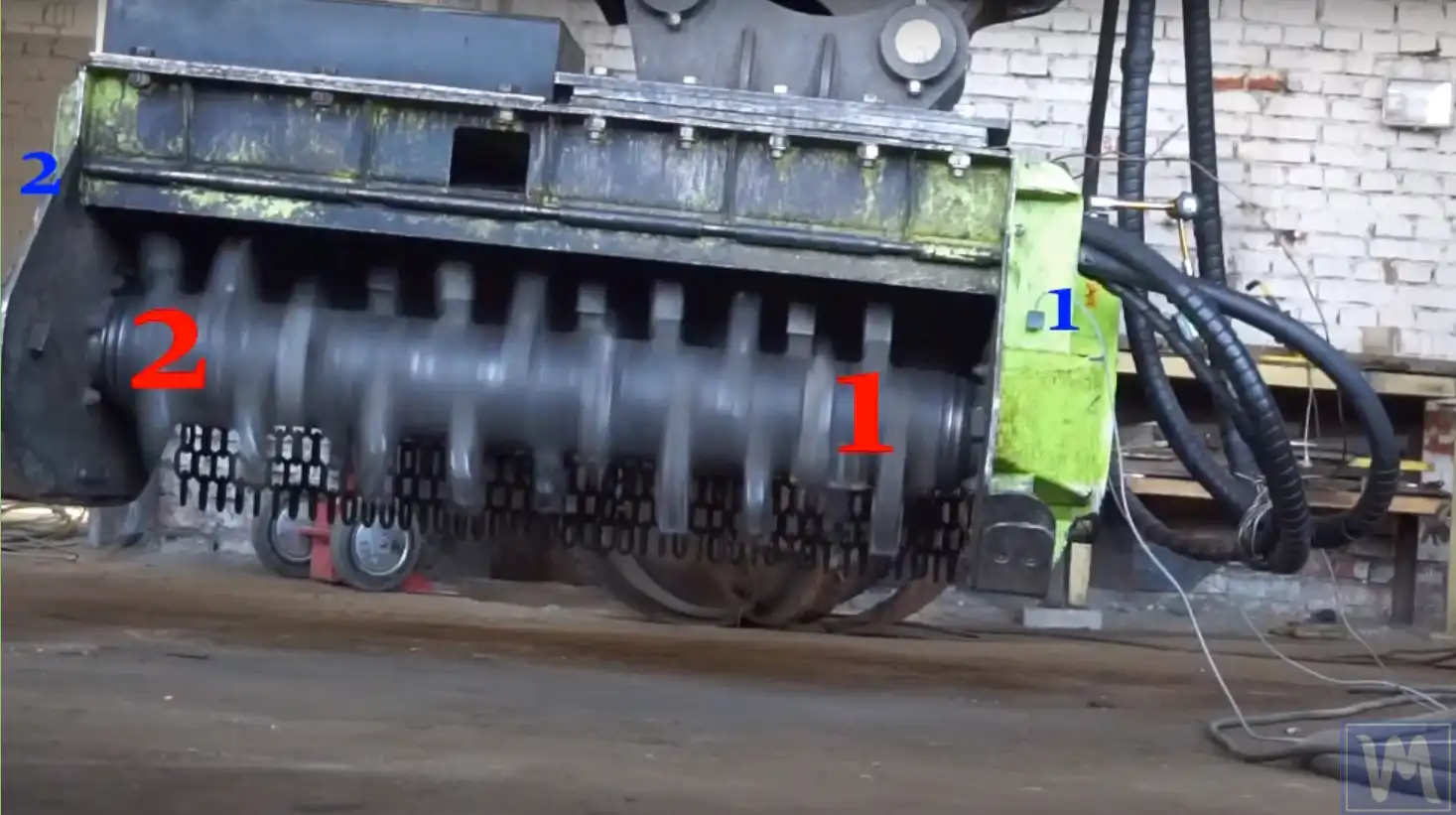
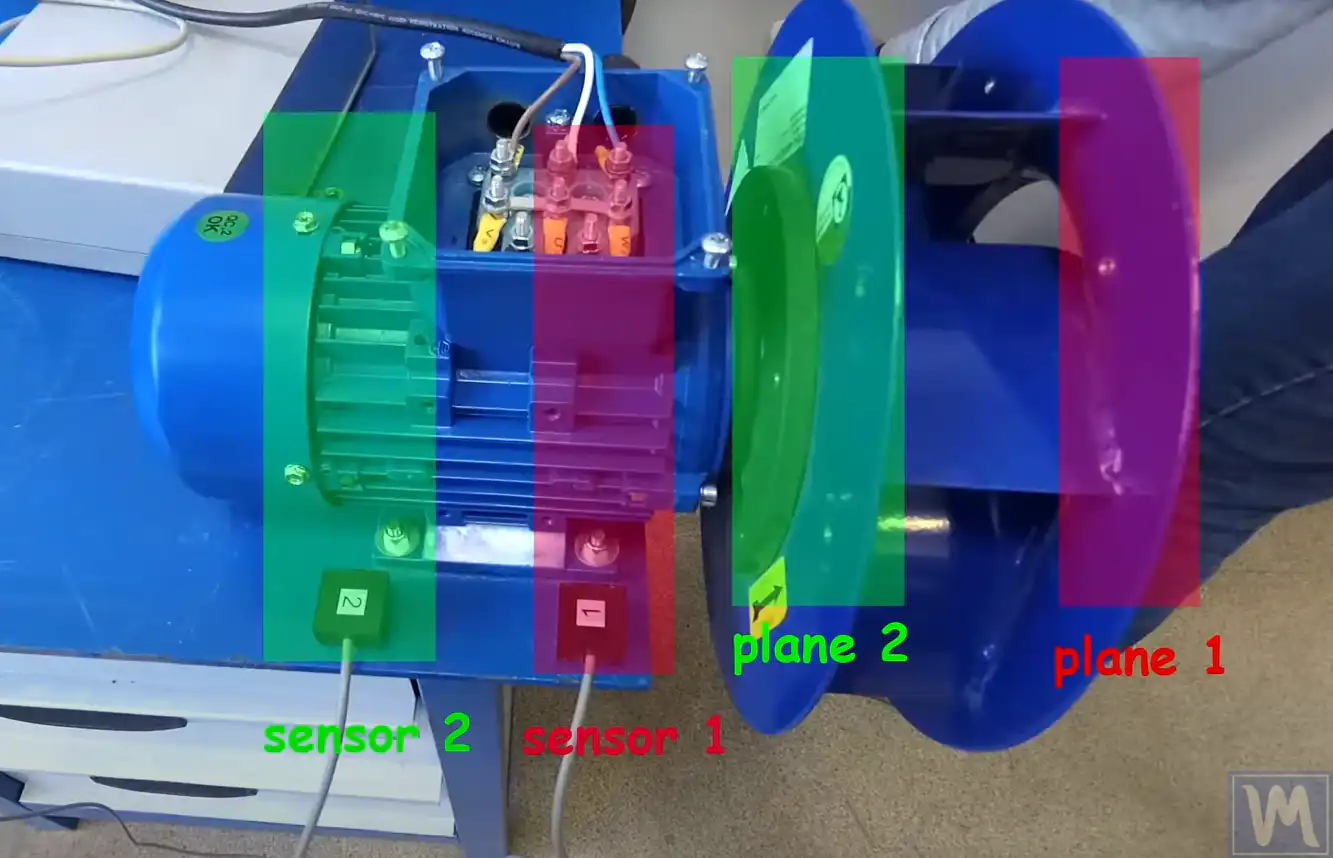
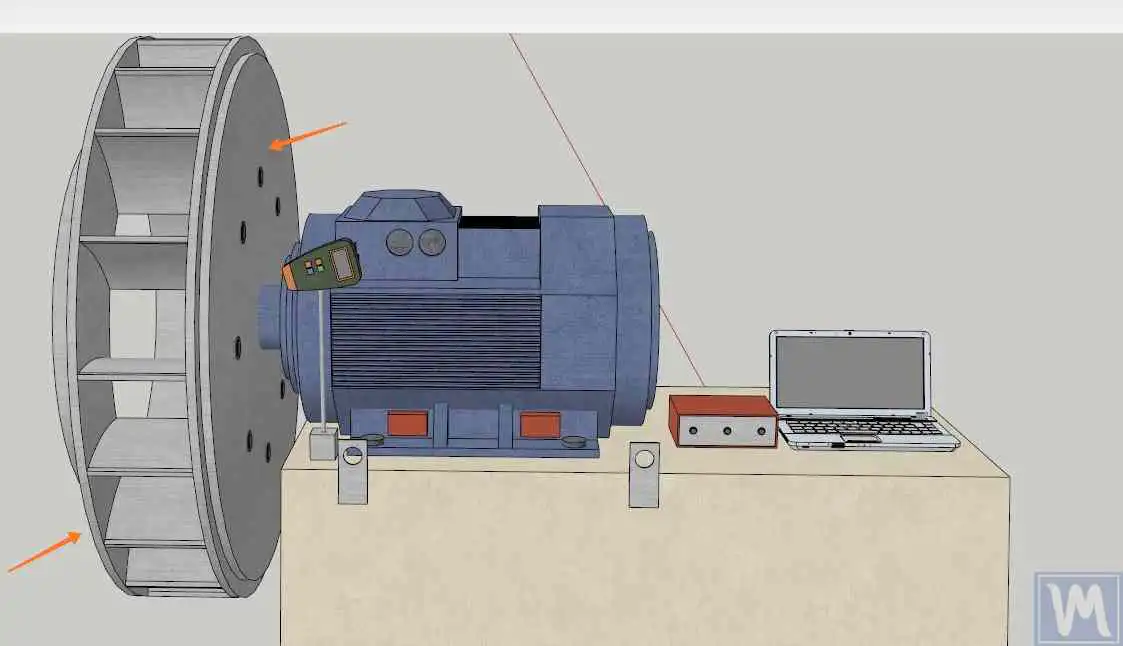
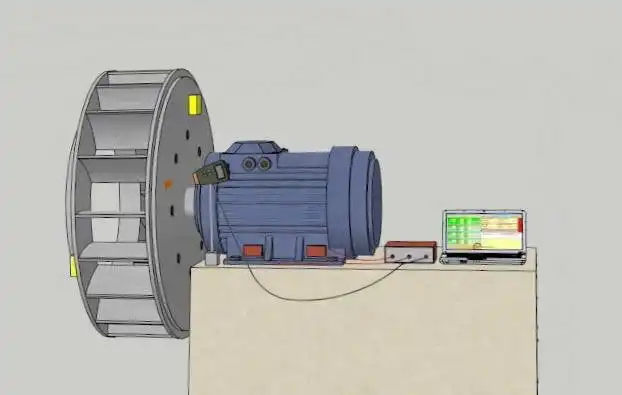
- Two correction planes (Plane 1 and Plane 2) where correction weights will be installed — as far apart along the rotor as practical.
- Two vibration measurement points (typically the bearing housings) connected to channels X1 and X2. Sensor X1 works with Plane 1, sensor X2 with Plane 2 — don’t swap them mid-job.
- A phase reference — a tachometer aimed at a reflective mark — to measure speed and phase. One mark per revolution, stuck on the hub or shaft (not on a blade), and never moved between runs.
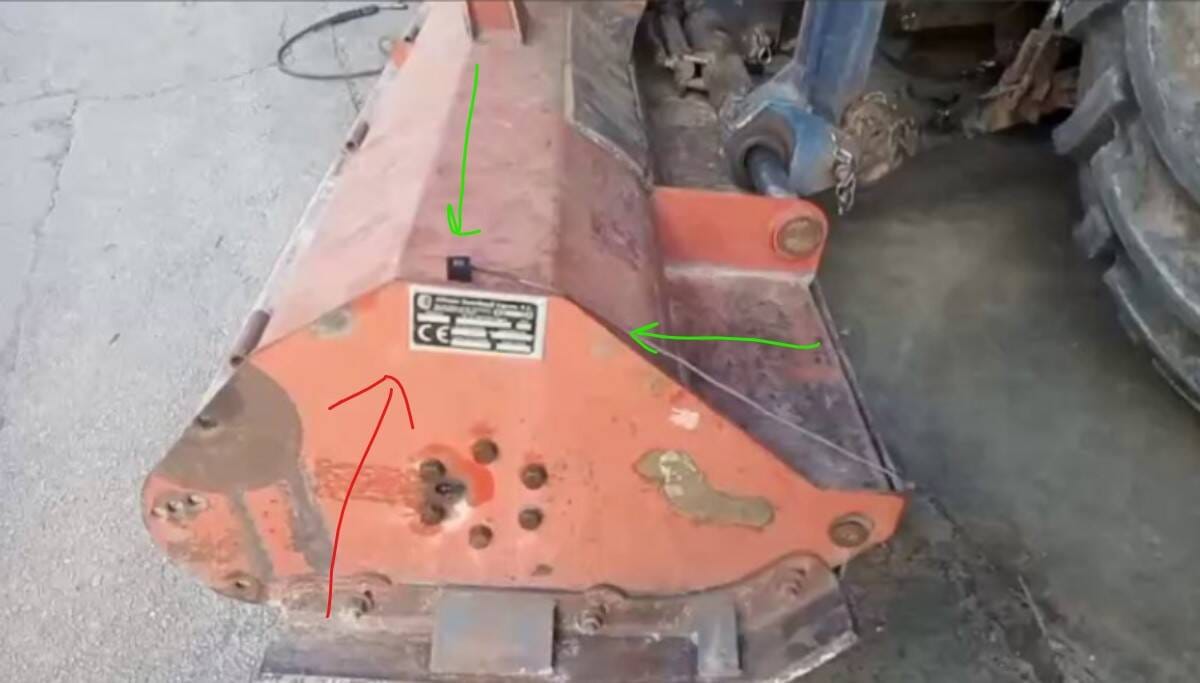
Typical examples of correction planes and sensor placement for common rotor configurations:
5. The Two-Plane Balancing Procedure
Before the first run, make sure there is something to balance — and that the measurements can be trusted:
- No bearing play (belts off, rock the rotor with a pry bar), no cracks, all fasteners tight.
- Rotor in working trim: all blades/hammers/knives fitted, rotor clean.
- Sensors radial on the bearing housings; tacho mark on the hub; cables secured away from the rotor.
- In Vibrometer mode: RPM reads correctly and is stable; amplitude repeats within ~10–20% and phase within ~10–20° between runs.
- The 1× component dominates the spectrum. If 2× or higher harmonics dominate — fix misalignment/looseness first.
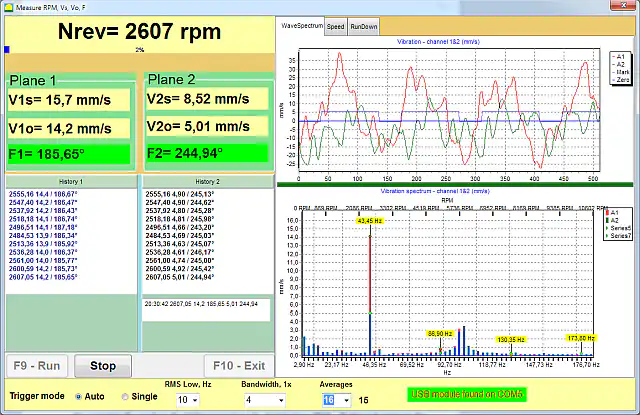
Field two-plane balancing uses the influence coefficient method — the instrument “learns” the machine’s response from a known trial weight:
-
Run #0 — baseline
Start the rotor at the chosen balancing speed with no trial weights and measure the initial vibration (amplitude and phase) on both channels.
Keep the same RPM for every run of the series — within ~100 rpm. If the working speed sits on a resonance or vibration exceeds 40–50 mm/s, balance in two stages starting at reduced RPM.
-
Run #1 — trial weight in Plane 1
Stop the machine, install the trial weight in Plane 1 at a marked position, run and measure again. The trial weight must change amplitude or phase by 20–30% — otherwise the instrument has nothing to calculate from (increase the mass). Use the trial-weight calculator for a starting estimate.
-
Run #2 — trial weight moved to Plane 2
Move the trial weight from Plane 1 to Plane 2 (moved, not added on top!) and measure once more.
-
Calculation
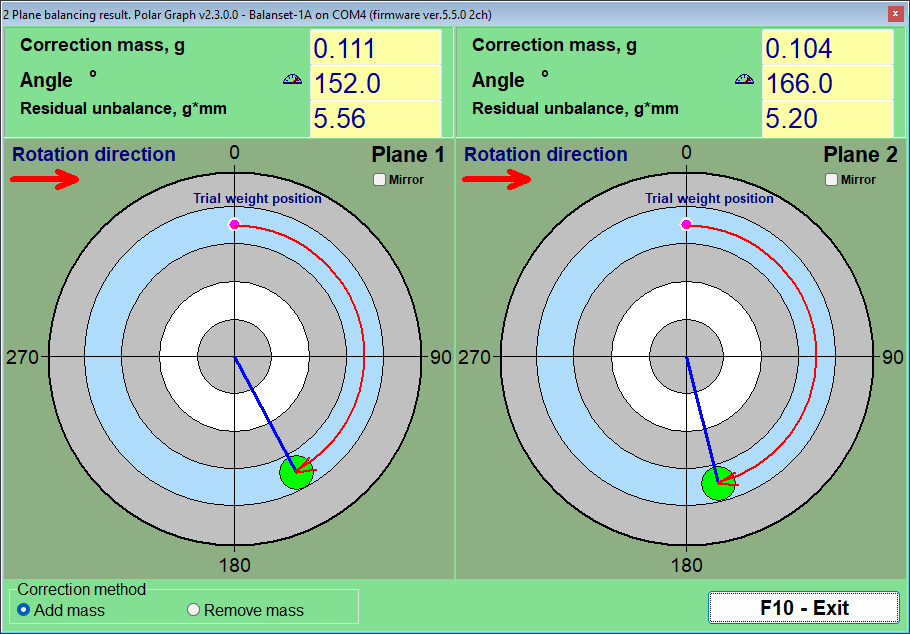
The software calculates the correction mass and angle for each plane, solving both planes together so the cross-effect between rotor ends is accounted for.
-
Correction
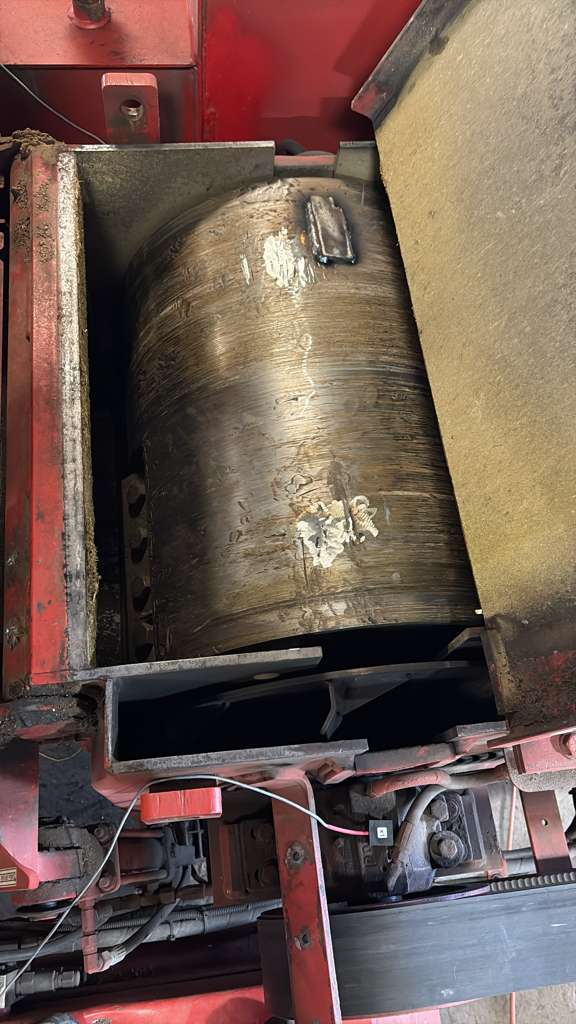
Remove all trial weights and install the correction weights on the same radius as the trial weight. Welding is standard for drums and fans (allow ~100 g for the weld seam itself); bolts, rivet washers or hose clamps also work depending on the rotor.
-
Verification and trim
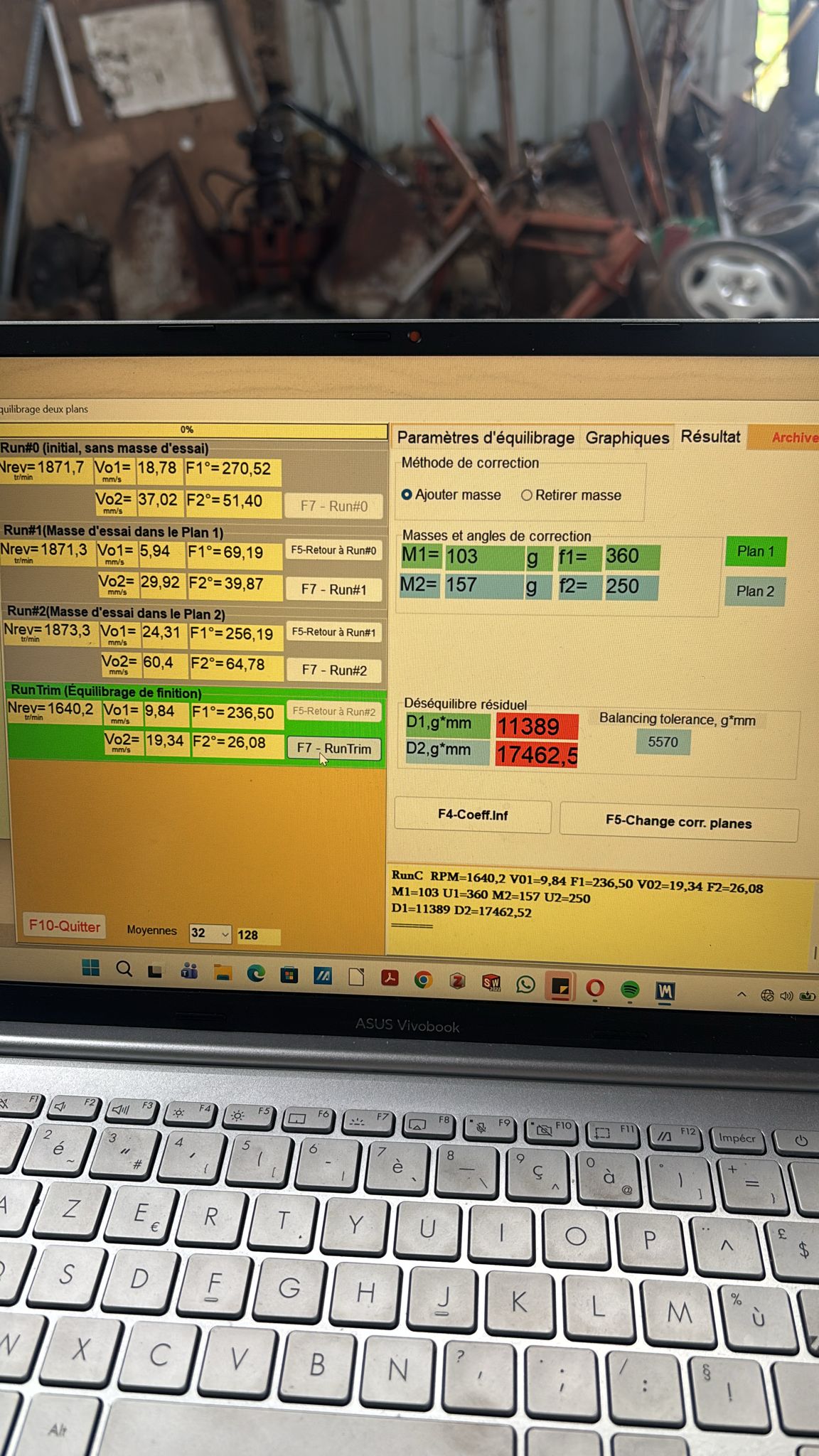
Take a check run (trim run). A 3–10× vibration drop within 1–2 iterations is normal for a mechanically sound machine. The program calculates a small top-up weight; repeat until you are inside tolerance.
When a calculated correction angle falls between two accessible fixing points (blades, bolt holes), the required mass can be resolved onto the available positions with the two-plane correction-mass decomposition calculator, and the underlying single-plane sensitivity can be checked with the influence coefficient calculator.
6. Counting the Correction Angle — the Single Most Important Point
The correction angle is counted from the trial-weight position (0°), in the direction of rotor rotation. Not against rotation, and not from an arbitrary point.
Example: the trial weight was at “12 o’clock” and the rotor spins clockwise as you look at it. The calculation says 90° → the correction weight goes at “3 o’clock”. The classic mistake is counting against rotation (mounting at 360−70 = 290° instead of 70°) — vibration then grows instead of dropping.
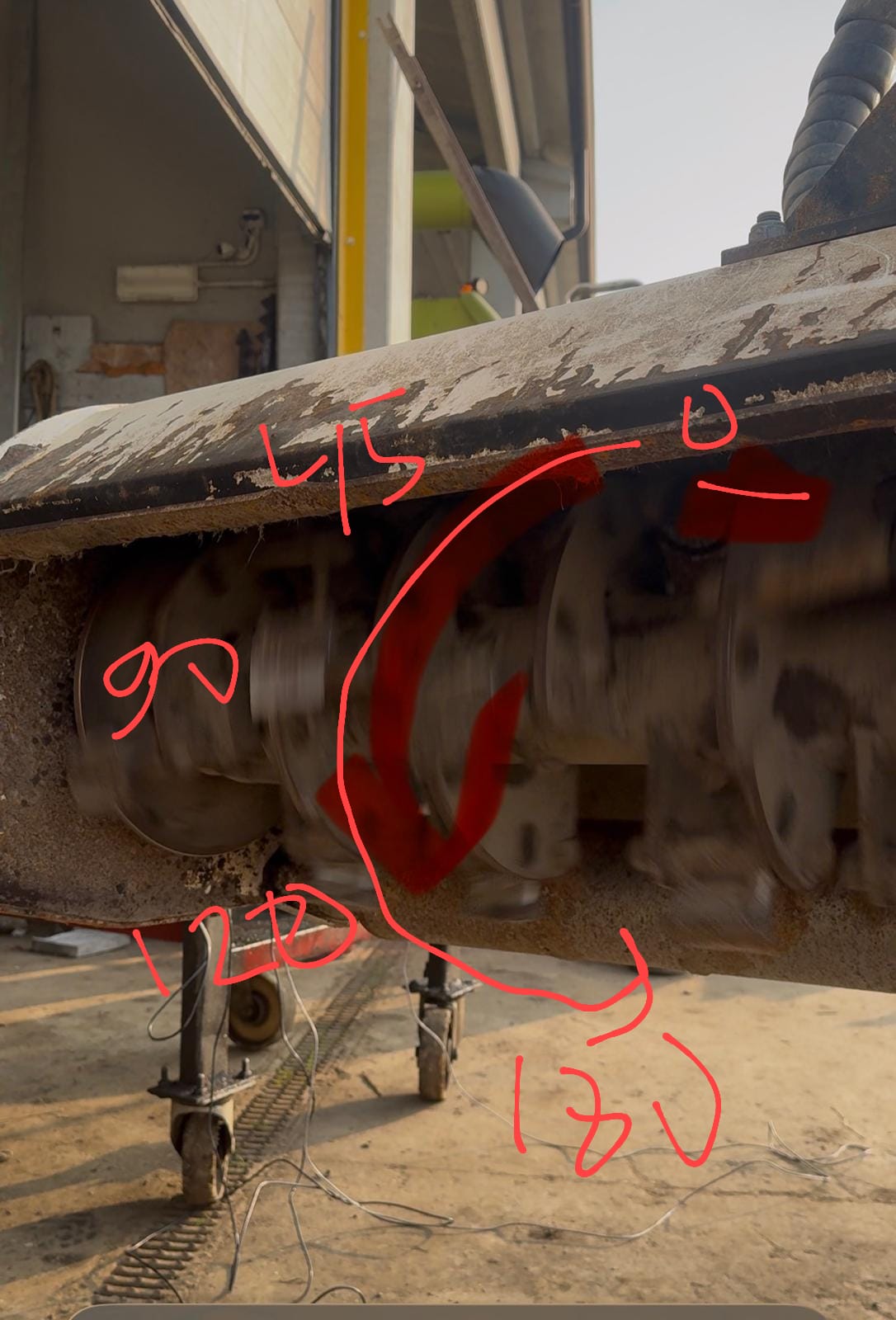
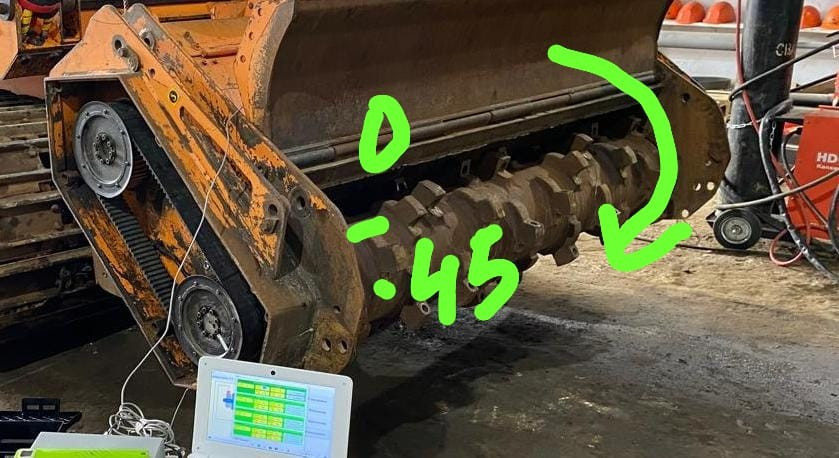
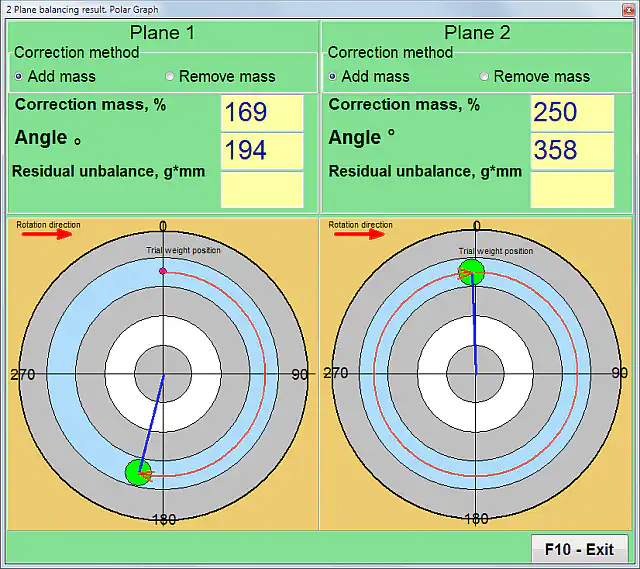
On the polar graph the software shows it visually: the pink dot is the trial-weight position (0°), the green dot is where the correction mass goes, and the red arrow shows the direction of rotation.
7. Results and Tolerances: When Is the Job Done?
Two assessment systems are used side by side — don’t mix them up: mm/s (vibration velocity of the assembled machine, ISO 10816/20816) and g·mm (residual unbalance of the rotor itself, ISO 1940/21940-11). The instrument reports both.
| Zone | Vibration velocity (RMS) | Assessment |
|---|---|---|
| A | up to 1.4 mm/s | Excellent — like a new machine |
| B | 1.4 – 2.8 mm/s | Good — fit for long-term operation |
| C | 2.8 – 4.5 mm/s | Acceptable for limited time |
| D | above 4.5 mm/s | Unacceptable — action needed |
Field adjustments: for agricultural machinery on soft supports the limits are softer — up to 7–8 mm/s is already a good result for a mulcher; chasing 0.5 mm/s there is pointless. Watch the 1× component, not just overall vibration: balancing reduces exactly that part.
Residual unbalance is judged by G grades (G16 — agricultural rotors and cardan shafts, G6.3 — fans, drums and general rotors, G2.5 — turbines and machine tools, G1–G0.4 — spindles). The permissible g·mm per plane for your rotor mass, speed and grade can be checked with the residual unbalance calculator (ISO 21940-11) — the same calculator is built into the Balanset-1A software.
8. If Vibration Won’t Go Down
Quick diagnostic table for the most common “it got worse / it won’t converge” situations:
| Symptom | Likely cause | What to do |
|---|---|---|
| After the correction weight was installed, the vibration became higher, not lower | The correction angle was laid out in the wrong direction — against the rotor rotation instead of with it | Mark the angle again: start from the trial-weight position (0°) and count in the direction of rotor rotation |
| With every new run the program asks to add more and more mass | The correction method in the settings is set to “remove mass” while weights are actually being added, so the sign of the result is inverted | Open the balancing settings and switch the correction method to “add mass” |
| A small change of speed (50–100 rpm) changes the vibration level several times over | The balancing speed is at or near a structural resonance | Record a RunDown (coast-down) chart and choose a balancing speed outside the resonance zones |
| The response to installed weights is not proportional; the results jump from iteration to iteration | The machine behaves nonlinearly (soft supports, worn or damaged structure) | Install one half — or one third — of the calculated mass per iteration and repeat the check run |
| Amplitude and phase are different on every run, although nothing was changed | Mechanical faults (bearing play, cracks, loose bolts) or false tachometer triggering | Repair the mechanics first; make sure only one mark reflects the tachometer beam |
| The program shows a speed 2–3 times higher than the real one | The tachometer sees extra reflections: pulley holes, shiny spots, blade edges | Move the reflective mark to the hub or shaft; cover or dull the other reflective surfaces |
| In the FFT spectrum the 2× peak (or a series of 3×, 5×, 6× peaks) is higher than the 1× peak | Shaft misalignment or mechanical looseness — this is not unbalance | Repair the couplings, fits and fasteners first, and balance after that |
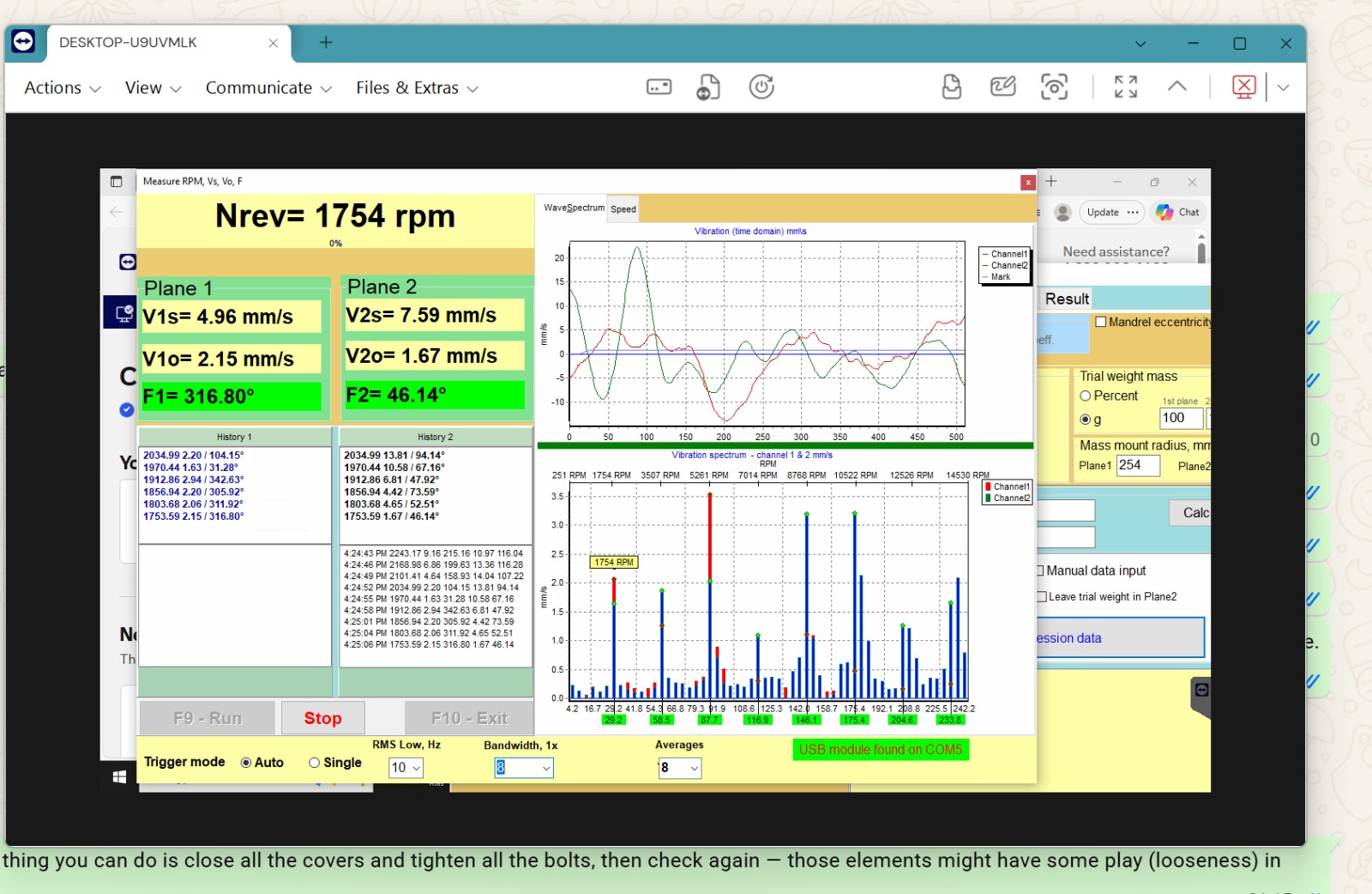
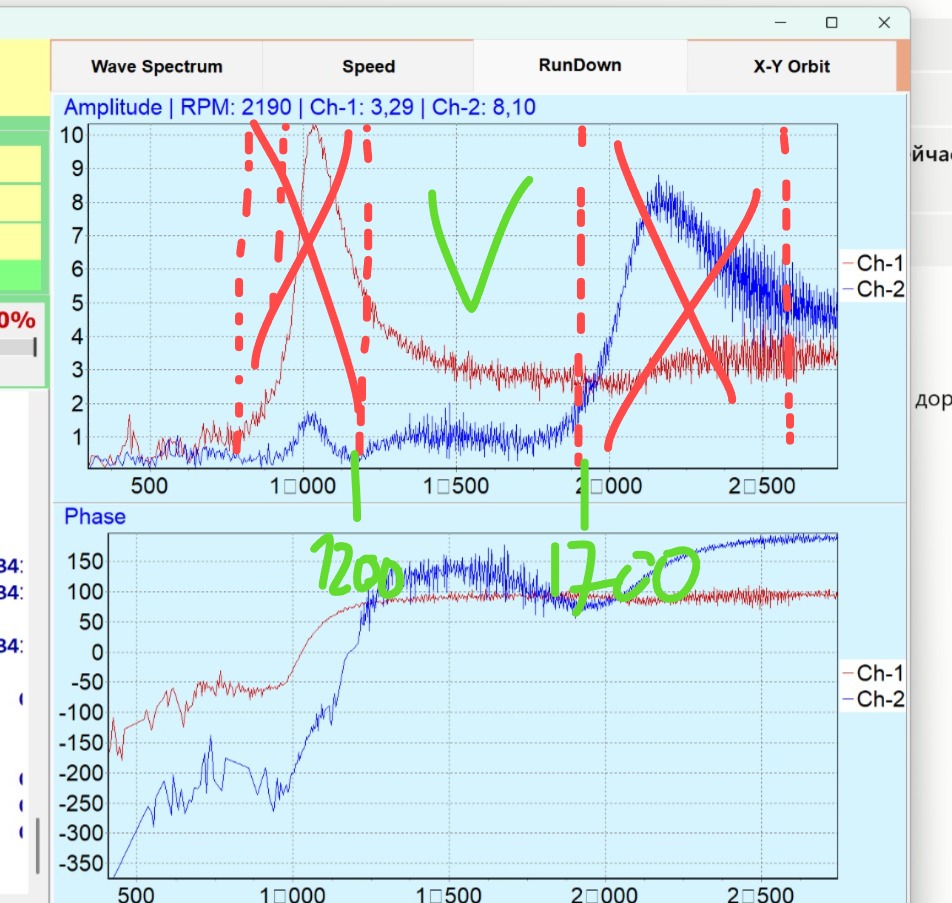
The full diagnostic tree — spectrum reading, resonance hunting, real culprits from support cases — is in the knowledge base: Vibration Won’t Go Down: Finding the Real Cause.
9. Two-Plane Balancing with Balanset-1A
Balanset-1A is a dual-channel, PC-based balancing system designed for single-plane and two-plane rotor balancing in field conditions and production environments. In two-plane mode it measures rotor speed and the vector of 1× vibration (RMS and phase) on both channels simultaneously and calculates correction weight parameters for both planes at once — including the polar chart, the run log and the achieved residual unbalance against the chosen ISO tolerance.
| Parameter | Balanset-1A |
|---|---|
| Channels | 2 vibration channels + laser tachometer channel |
| Vibration velocity (RMS) | 0.02 – 80 mm/s |
| Frequency range | 5 – 550 Hz (FFT spectrum up to 1000 Hz) |
| Speed range | 100 – 100,000 rpm |
| Phase accuracy | ±1° |
| Balancing planes | 1 or 2 |
| Rotor mass | Not limited by the method (real record — a 24,000 kg rotor) |
| PC requirements | Windows 7/8/10/11, USB; any office laptop |
| Software | One-time purchase, free updates, no subscription |
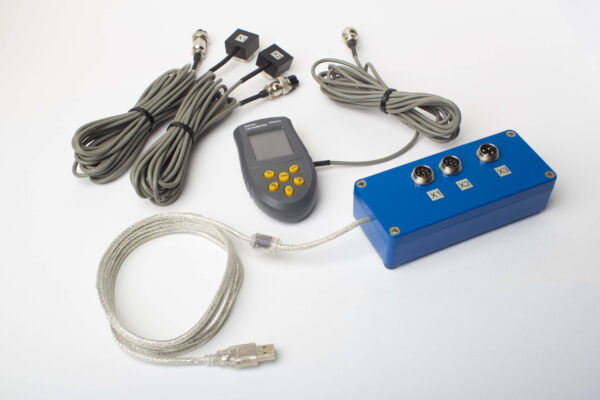
Software: two-plane setup and result view
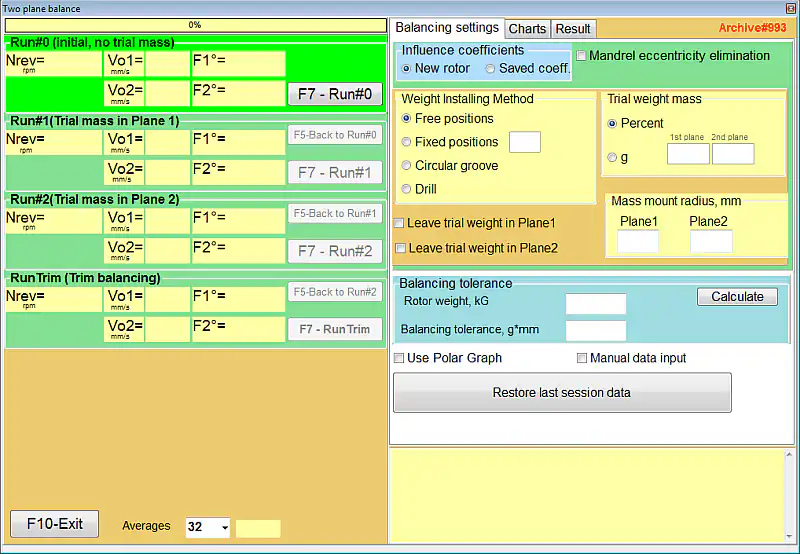
Balance rotors yourself — on site, in own bearings
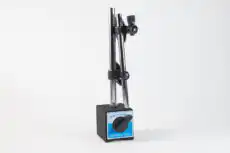
Balanset-1A Full Kit — €1,975, everything included: measuring unit, 2 sensors, laser tachometer, magnetic stand, scales, software with free lifetime updates. Used worldwide on mulchers, fans, crushers, cardan shafts and spindles — with free e-mail support drawing on hundreds of real balancing jobs.
10. Video: Balanset-1A in Action
A short overview of field balancing with the Balanset-1A — from sensor setup to the trim run. More videos, including machine-specific examples, are on the Vibromera YouTube channel.
11. Frequently Asked Questions
Do I need to know the rotor mass to balance it?
No. The correction-weight calculation needs only the trial-weight mass and its mounting radius. Rotor mass is used only for estimating the trial weight and for the ISO 1940 tolerance calculator (G grade).
What is the maximum rotor size or mass for two-plane balancing?
The influence-coefficient method does not limit rotor mass — the instrument measures the supports’ response, not the rotor itself. The real record with Balanset-1A is a 24,000 kg sugar-mill fiberizer rotor, balanced to 0.47 mm/s.
What speed range does it work in?
Formally from 100 rpm; in practice balancing below ~300 rpm is hard (weak sensor signal at low frequencies). The upper range reaches tens of thousands of rpm — high-speed spindles are balanced to grades G1–G0.4.
Can I balance a rotor without removing it from the machine?
Yes — that is the main purpose of field dynamic balancing: the rotor is balanced in its own bearings, under real operating conditions. Measurements typically take 15–30 minutes plus the time to mount the weights.
How do I know whether one plane is enough?
Rule of thumb (ISO 21940-11): if the rotor width is less than half its diameter (in practice — a third), one plane is usually enough. Long rotors — drums, shafts, wide impellers — need two planes because the two ends cross-affect each other.
Why did vibration grow after I installed the calculated weight?
Four typical causes: the correction angle was laid out against the rotor rotation; the correction method in the settings was “remove mass” while weights were being added; the balancing speed is near a resonance; or the full calculated mass was installed on a nonlinear machine (install half first). If none of these apply, look for mechanical faults: bearing play, cracks, loose parts.
Is there a software subscription or annual calibration?
No. The Balanset-1A software is a one-time purchase with free updates and unlimited installs, and the instrument needs no annual calibration — factory calibration coefficients ship with each kit.
Does it balance cardan (drive) shafts?
Yes — an ordinary cardan shaft balances in two planes; weights are conveniently fixed with hose clamps secured with threadlocker (0.5 mm/s final in a real case). Shafts with intermediate supports that need 3–4 planes are the domain of the Balanset-4. A worn universal joint must be replaced first — balancing does not cure play.